
Backup & recovery
Cancel a photo vault subscription without losing track of your files
Cancel a photo vault subscription on iPhone, verify the billing result and preserve access to your files. Separate renewal, exports, backups and deletion.
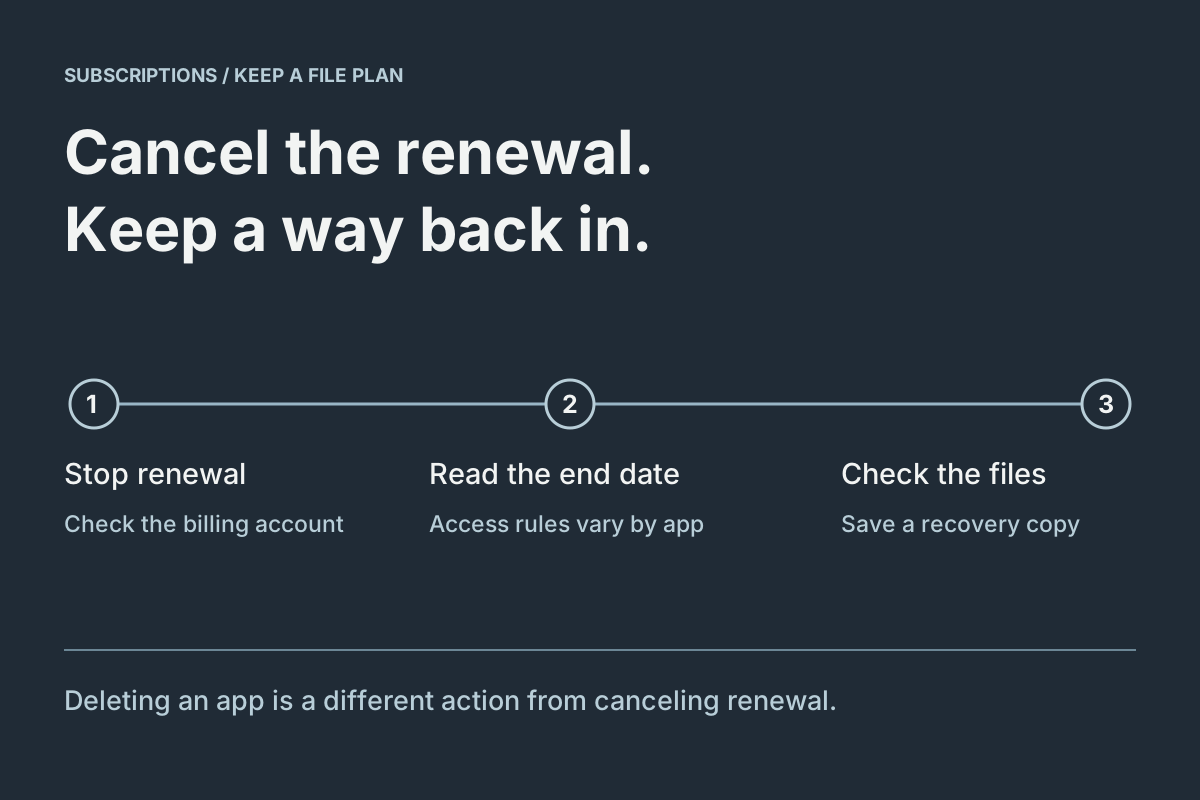
Cancel renewal through whoever bills you, keep the vault and its data in place, and check file access separately. Stopping a recurring purchase is a billing action. Exporting files, retaining a recovery archive and deleting an app are different actions with different results.
If a renewal deadline is close, do not postpone the billing decision until an entire library move is perfect. Read the cancellation confirmation and access terms, stop an unwanted renewal through the appropriate control, then complete the file checks without deleting the working collection. For a service with cloud storage, check its published post-cancellation access and retention terms promptly; another app's policy cannot answer that question.
We make Vault Max. Its existing-item access policy is explained below, alongside a process you can use to investigate a different vault. Apple's documentation supplies the cancellation instructions; each publisher's terms determine its own file-access policy.
Identify the subscription and the files as separate things
Record the exact app name, the company billing you and the renewal or expiration date shown by the billing service. Then open the vault and identify what you want to retain. An Apple receipt answers who sold the purchase, not whether the private collection has a usable backup.
Decide your intended outcome. You might want to keep using the existing library without adding more items, move selected documents elsewhere or leave the app completely. These choices need different amounts of export work. Cancellation alone does not require turning every saved picture into a new Photos item.
Use a short private checklist rather than copying account identifiers into filenames. Record billing confirmed, library opens, important output checked and recovery arranged as separate results. Mark a result only after checking it.
Cancel an Apple-billed subscription on iPhone
Apple's current cancellation instructions give this route:
- Open Settings, tap your name, then Subscriptions.
- Choose the exact subscription.
- Select Cancel Subscription and complete the displayed confirmation.
- Revisit the subscription and read its resulting status and date. Apple says an absent Cancel button or a red expiration message can indicate it is already canceled.
If it is missing, inspect the Apple receipt for the purchasing account. If another company bills you, use that company's cancellation process. Apple also advises canceling an unwanted trial at least 24 hours before it ends. Follow the terms displayed for your offer and region.
Apple's subscription overview describes a canceled subscription stopping at the end of its billing cycle. Record the actual date rather than treating “canceled” as a description of which files remain accessible in a particular app.
Keep renewal, entitlement and file access distinct
The following checks prevent a common mix-up: seeing a paid badge and assuming renewal failed, or seeing a free badge and assuming the files were erased.
| Question | Where to check | Useful evidence |
|---|---|---|
| Will this purchase renew? | The billing service's subscription page | The selected subscription's cancellation status and date |
| Which capacity or features are active? | The app's current plan display and published terms | The entitlement shown for this installation |
| Can I retrieve my saved material? | The vault and the actual exported destination | A working unlock, opened items and readable saved output |
If the app still displays paid access before the shown end date, compare those dates before diagnosing a billing error. If an entitlement appears wrong, keep the working installation while investigating. Do not delete a private collection to refresh a label.
What happens after a Vault Max subscription expires
Vault Max's published cancellation policy keeps existing files available to open, export, delete and back up after expiry. Free capacity limits apply to new additions. A collection above the free allowance does not need to be reduced merely to retrieve its existing items.
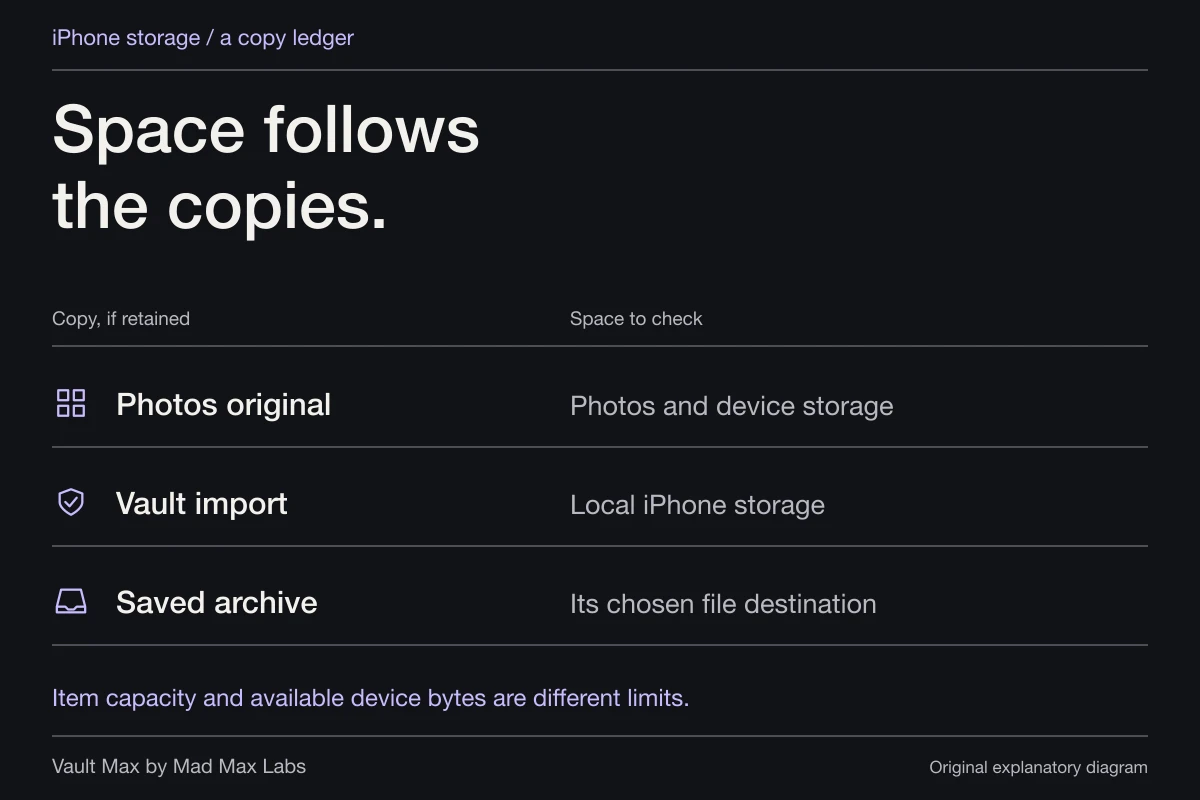
The free allowance is 50 counted photos, videos and documents per vault; text notes are not counted toward that quota. Those terms describe app capacity, not extra physical device storage. The storage guide explains the distinction.
This policy does not replace the vault credential or keep a developer recovery copy. You still need the app's retained data and a working unlock method. Lifetime Unlock is a separate nonrenewing purchase. For an active subscription, Vault Max directs changes through Apple's subscription manager and offers the lifetime choice after the subscription expires.
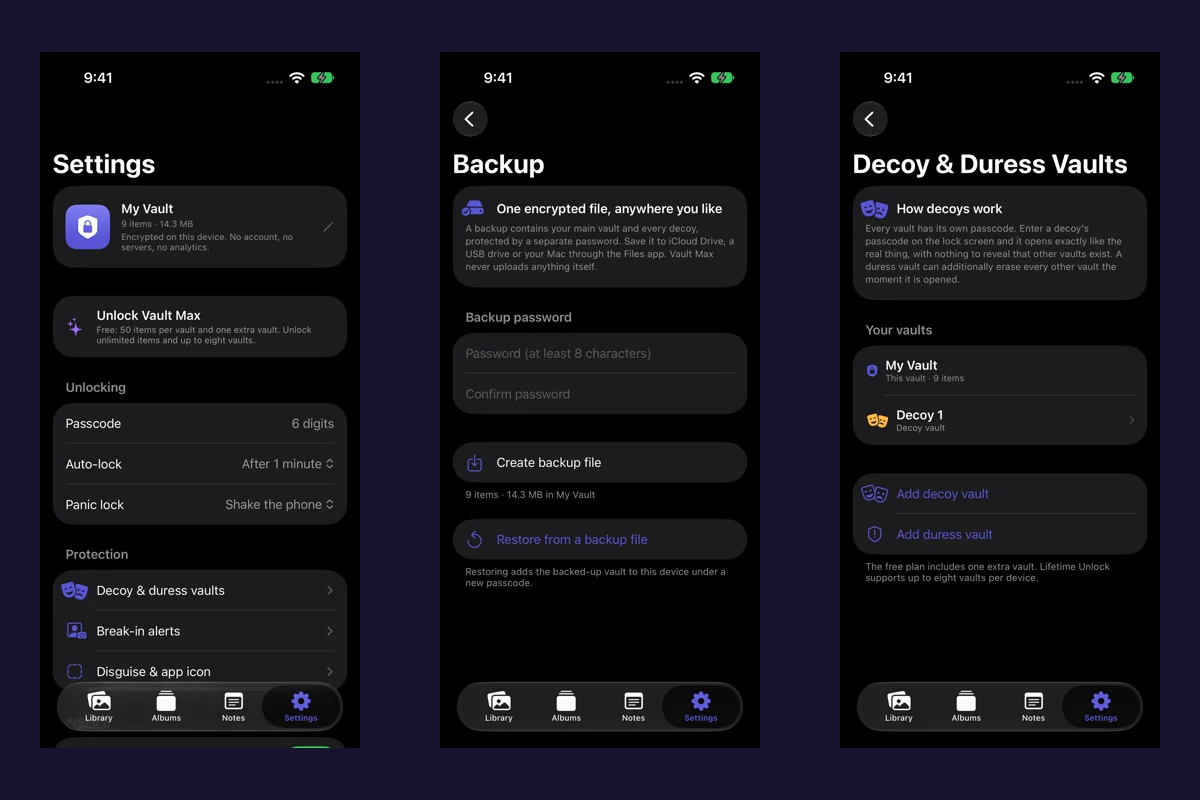
The screenshots below show ordinary file operations. Use the access policy for the subscription question, and the saved-file checks for the retrieval question.
Choose the next action for the problem you actually have
The fictional exercise distinguishes billing, access and missing-data problems. It cannot read your subscription or approve deleting a library.
Fictional decision exercise
Stop renewal without losing sight of the files
A fictional paid vault still opens. Its billing screen says renewal is in two days. Two photos and a PDF are available only inside it. You want to stop renewal and keep those files before removing the app.
Read every decision and explanation
Decision 1 of 2
Which action directly addresses the approaching charge?
A renewal is approaching. You have not checked cancellation or saved the files elsewhere.
- Delete the app immediately
Deleting the app is not confirmation of cancellation. It also puts the remaining local access at risk.
Next step. Keep the installation while you address billing and retrieve the needed files.
- Use the actual billing account to cancel promptly and check the displayed access date
This addresses the renewal without treating app deletion as a billing control.
Next step. Read the actual cancellation and access terms shown there. Do not assume every subscription, trial or billing provider preserves access in the same way.
- Wait for a long export to finish before checking any cancellation controls
An unfinished export is not a reason to leave an imminent renewal unaddressed.
Next step. Check cancellation promptly and retrieve available files. If time is short, attend to both jobs without assuming a later refund or recovery.
Decision 2 of 2
What should happen before relying on a separate copy or deleting this installation?
For this fictional next step only, cancellation is shown and the vault still opens. The two photos and PDF have not been saved outside it.
- Assume cancellation created a backup
A billing status is not a saved-file destination or a recovery test.
Next step. Export the needed available items to a known location and inspect the actual saved output.
- Use Restore Purchases as a file backup
Restoring paid entitlement and retrieving private files are different tasks.
Next step. Locate a real file export or a compatible, accessible recovery archive rather than relying on the purchase record.
- Save the needed files elsewhere and open the saved photos and PDF
This checks the copies you need instead of equating cancellation with data preservation.
Next step. Confirm the destination, item count and readable contents while keeping the source. Only then make a separate decision about removing the installation.
Your plan addresses billing promptly, checks the provider's stated access boundary, and verifies saved files separately. The exercise does not promise continued access after cancellation or retrieval from a locked or expired app.
No cancellation, payment, export or recovery occurs here. Availability after cancellation depends on the actual product and billing terms. No account details or personal files are requested; choices stay in this page and reset when it is reloaded.
For another vault, find explicit answers to these questions: can existing files still be opened, can they be exported, does cloud storage have a retention deadline, and what happens to data above the free allowance? Keep the policy page and date privately if you are relying on it. If the answer is unclear, ask the publisher about your exact plan before assuming continued access.
Check an ordinary export while the source remains available
Choose a small representative selection: an important photo, a video if the library contains one, and a document if you store documents. Use the app's supported export or Share operation. Save to a known destination rather than sending the only copy to yourself and assuming the attachment is complete.
In Vault Max, an ordinary supported-item share prepares readable files for the selected destination. Those files do not inherit the vault credential. Select an appropriate location and open the saved output there. Check the intended picture, playable duration or complete document, not just its filename.
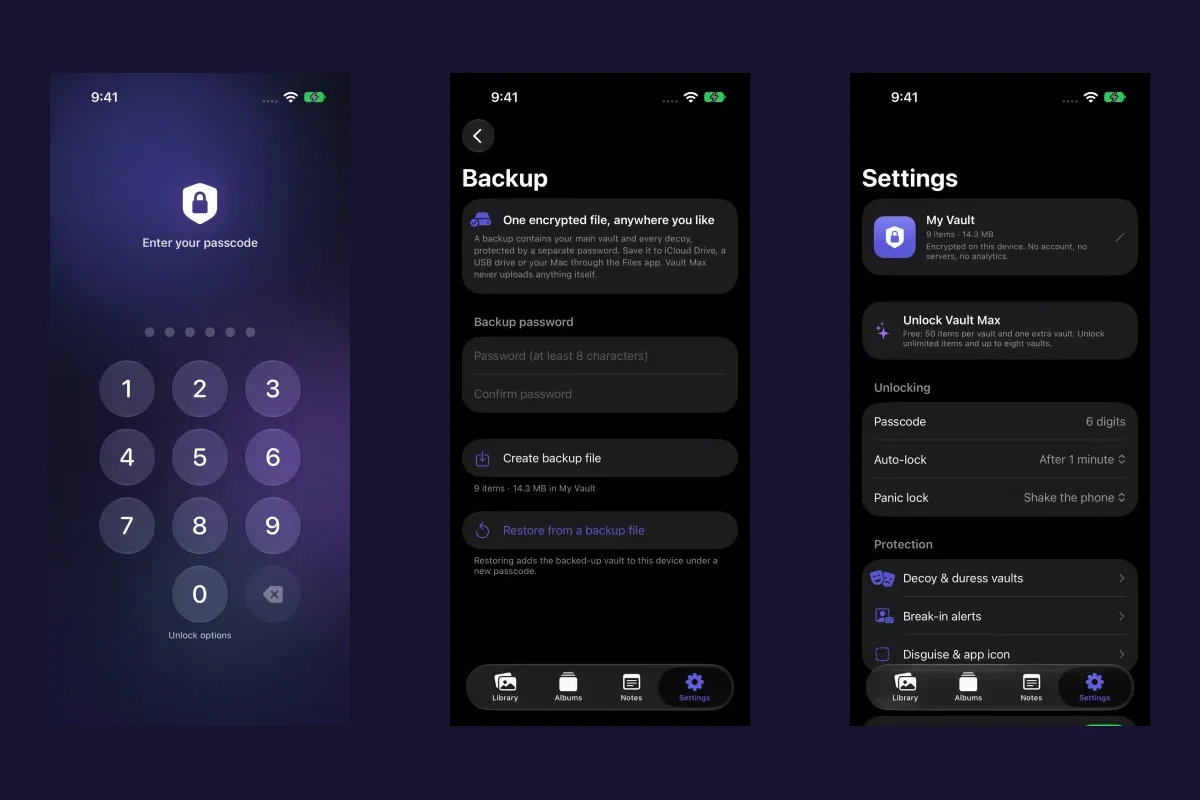
Sample Vault Max library. Select a screen for a closer look.
If your intention is to leave the app, continue with the vault-switching workflow. A sample export establishes the route; the complete move still needs its own inventory and destination checks.
Retain recovery for the collection you keep
For Vault Max, create a current .vaultmax archive through Settings → Backup & storage → Encrypted backup, choose its separate password and save it to an independently accessible location. Follow the backup guide for the full routine.
Sample Vault Max library. Select a screen for a closer look.
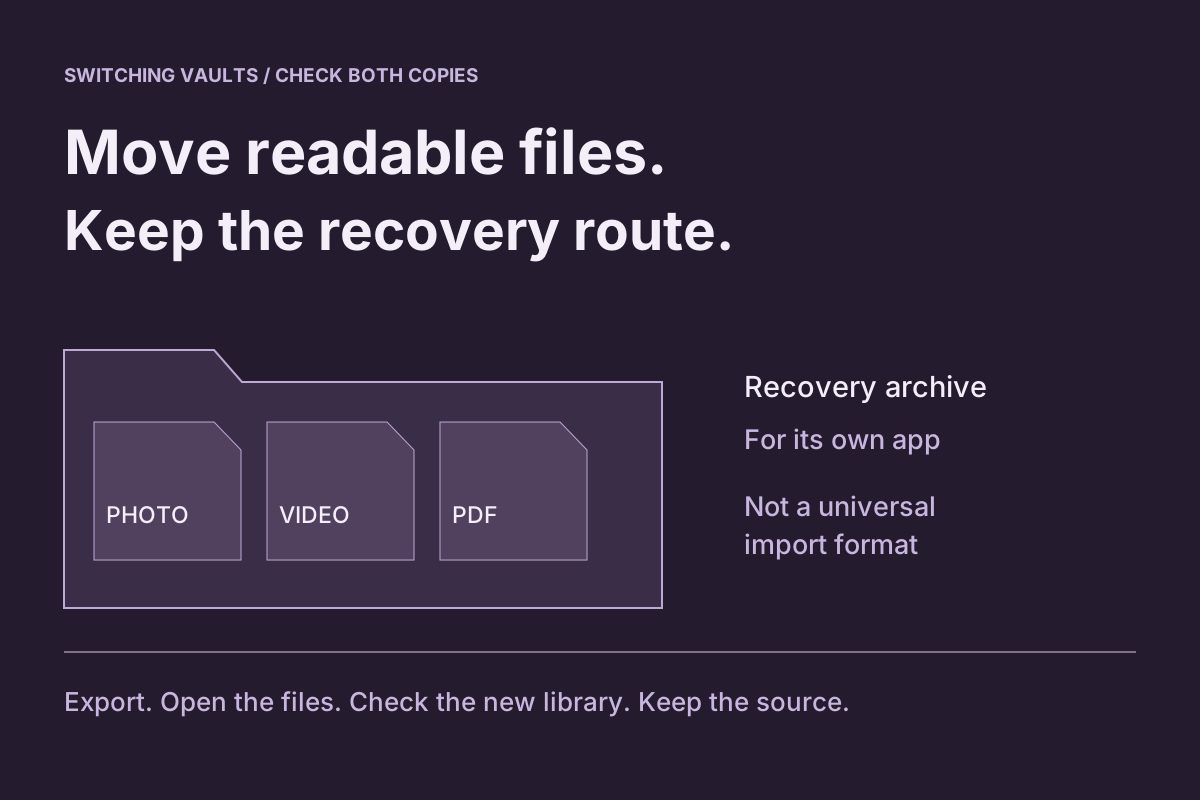
An ordinary export serves a different purpose: another app can use its supported file type, while the original vault archive preserves its own recovery structure. Do not rename an archive into a photo extension or assume a different vault can import it. Keep the working installation if recovery is unresolved.
Troubleshoot without removing the only copy
The subscription is absent: check the receipt and billing provider before trying unrelated app settings. Canceling under a different account does not settle the intended purchase.
The app says free and a new import fails: first distinguish the capacity rule from retrieval. In Vault Max, inspect an existing item and use its ordinary export route. Do not repeatedly reimport the library to test access.
Paid access should still be active: Apple's purchase-restoration guide advises using the app's restore control with the purchasing Apple Account. Restore Purchases checks entitlement; it is not a file-restoration command.
The collection will not unlock: preserve the installation and follow the credential recovery guide. Billing confirmation cannot decrypt a collection, and repurchasing should not be treated as a credential reset.
Finish with two confirmed outcomes
Reopen the billing page and confirm the intended renewal status. Separately, reopen the retained library or the checked destination and confirm that the material you need is usable, with an appropriate recovery plan.
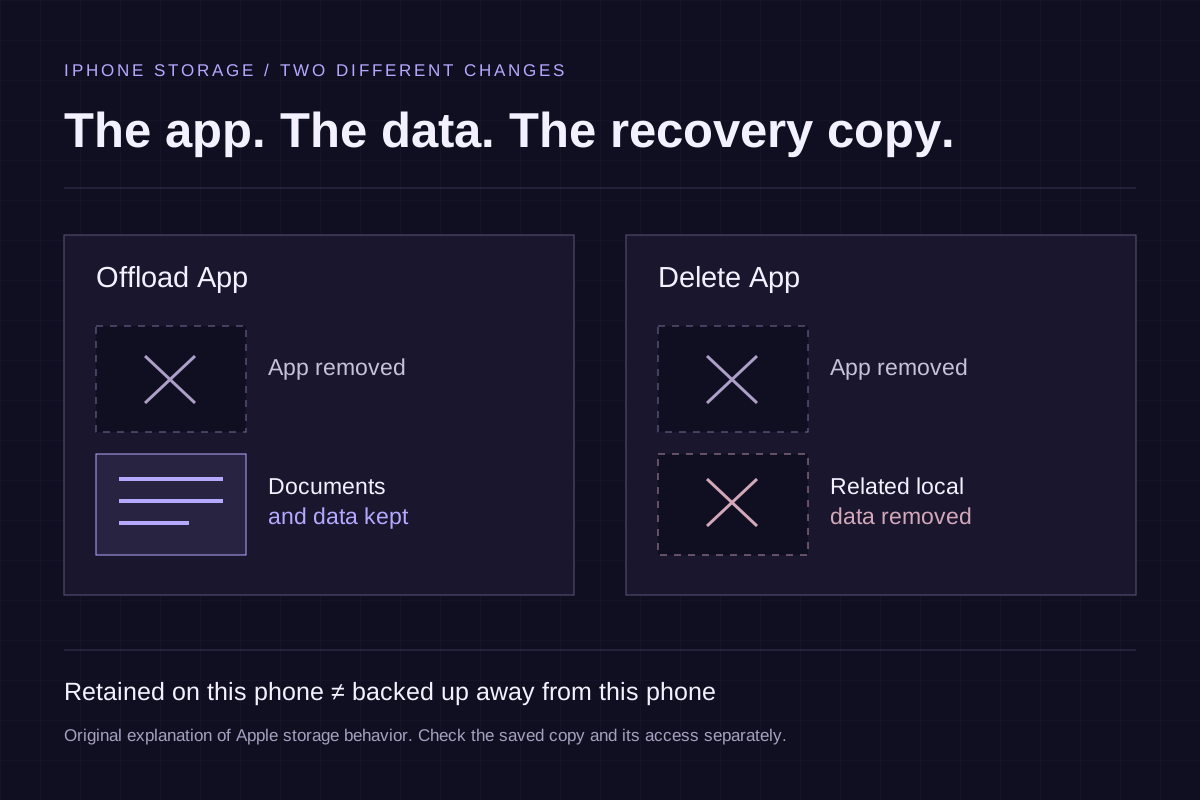
Only then make a separate decision about retiring the app or removing temporary exports. Apple explicitly states that deleting an app does not automatically cancel its subscriptions. Conversely, its storage guidance describes Delete App as removing related local data. The offload-versus-delete guide covers that final installation decision without confusing it with cancellation.
Common questions
Does deleting a photo vault app cancel its subscription?
No. Apple explicitly says deleting an app does not automatically cancel its in-app subscriptions. Cancel through the company that bills you, confirm the billing result and decide separately what happens to the app's local files.
Can I open and export Vault Max files after a subscription expires?
Vault Max's published policy keeps existing files available to open, export, delete and back up after expiry. Free capacity limits apply to new additions. You still need the installed collection and a working unlock method; the policy is not recovery for deleted data or a forgotten credential.
Does Restore Purchases recover photos deleted with a vault app?
Restore Purchases concerns an eligible App Store entitlement. It does not restore the app's private files. File recovery depends on retained originals or the app's usable recovery material and required credentials.
Continue reading
More guides
Practical tips for your private library. Swipe or scroll to choose your next guide.
5 guides to explore