
Using a photo vault without an account or cloud library
See how a local iPhone photo vault works without an app account, what Apple purchases use, and how backup destinations change your cloud choices.
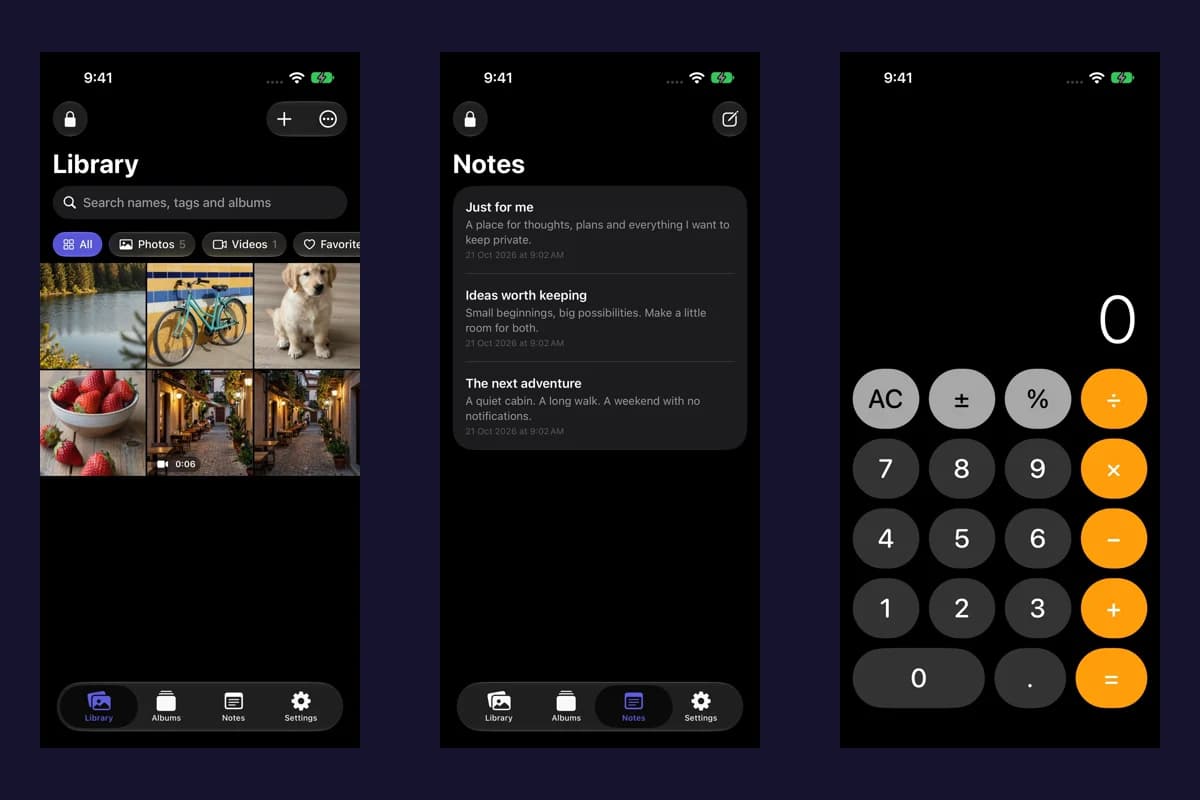
Actual Vault Max screens with sample content.
A local photo vault can keep imported files on your device without creating an app account or syncing your library to an app provider's servers. Vault Max works this way: its vault is stored and encrypted on the device. You choose how to back it up, and you remain responsible for keeping a usable copy.
Vault Max with sample content. Use the controls to pause or replay.
What “no account” means here
Vault Max does not ask you to create a Vault Max account before making a vault. Setup creates a local credential, offers supported biometrics if you want them, and takes you to the library's Add to vault action.
Apple's App Store is a separate service. Downloading the app, buying an optional paid plan and restoring eligible purchases use Apple's store arrangements. “No Vault Max account” does not mean the App Store has disappeared or that a paid plan is anonymous.
Sample Vault Max library. Select a screen for a closer look.
What stays on the device
The app stores imported photos, videos, notes and files in its encrypted vault. It has no Vault Max server library, app analytics SDK or account dashboard containing those items. Its store connection handles purchases and subscription status, rather than uploading the vault's contents.
Your Photos original is a different copy. Importing an image does not change the storage settings for that original, stop another app's sync, or remove copies you have already shared. Decide what you want to keep in each place, and verify the imported item before changing the original.
Vault Max with sample content. Use the controls to pause or replay.
Local storage and cloud backups are different choices
Vault Max can create a .vaultmax backup protected by a separate password. You choose a destination in
the Files picker. Saving it to a cloud-backed Files provider uses that provider; saving it to a suitable
local or external destination can keep the backup outside a cloud library.
The app also has a setting for including encrypted vault data in normal device backups. Those backups depend on your device and provider settings. Review both the app's backup option and the destinations you use before describing your entire setup as “no cloud.”
| Choice | What it controls |
|---|---|
| Local vault | The app's working collection on this device |
| Password-protected .vaultmax export | A backup snapshot that you can save and restore |
| Files destination | Where the exported backup is stored |
| Device backup settings | Whether the app's encrypted data participates in the device's backup setup |
| Apple purchase restore | Eligible paid features, rather than your private files |
Sample Vault Max library. Select a screen for a closer look.
The responsibility that comes with it
An account-based service may offer a reset email or a server-side library. Vault Max cannot email you a key to your original vault or retrieve a copy from its servers.
Make an encrypted backup while you can still unlock the vault. Keep the backup password available independently of the phone. Store a copy somewhere that survives loss of the device, and check that you can use the backup before deleting the original installation.
The backup file is a snapshot, so create a new one after adding material you cannot afford to lose. Restoring a readable backup lets you choose a new vault passcode. Losing the original vault credential and the ability to use your backup leaves no provider recovery route.
Vault Max with sample content. Use the controls to pause or replay.
When this model is useful
It can suit someone who wants a separate private collection, direct control over backup destinations, and no additional app login. It also requires more deliberate backup habits than a managed sync service.
Vault Max is free to start, with optional subscriptions or a Lifetime Unlock for additional capacity. The security features are included in the free plan. Start by making a vault and importing an ordinary test item so you understand the workflow before relying on it for irreplaceable material.
Get Vault Max on the App Store. See help and the privacy policy for the product's storage and recovery model.
More guides
- How to import photos, videos and files into Vault MaxFollow Photos, Files and share-sheet import routes in Vault Max, verify your saved items, handle originals carefully, and organize a private media library.
- Vault Max privacy features: break-in photos, decoy vaults and quick locksExplore Vault Max's break-in photos, calculator disguise, decoy vaults, private camera, panic lock and encrypted backups, with app screens and footage.
- Forgot your Vault Max passcode? Check these recovery paths firstCheck biometric access, credential type and encrypted backups before changing anything. Understand which Vault Max recovery paths can preserve your files.
- Back up Vault Max before changing your iPhoneCreate a password-protected Vault Max backup, choose where to save it, and understand restore and recovery before moving or erasing your iPhone.
- Hidden album vs photo vault on iPhone: which do you need?Compare the iPhone Hidden collection with a separate photo vault: access, copies, backup and recovery, explained with real Vault Max screens and short demos.
- How to hide photos on iPhone, with or without a separate vaultHide photos with Apple's Hidden album or import them into Vault Max. Learn what happens to originals, how to check your copies, and when to make a backup.
- Moving your photo vault to a new iPhone: a Vault Max checklistPlan a new-iPhone move with a Vault Max backup, a careful restore, checks for media and child vaults, and a final checklist before handing off the old phone.