
App comparisons
The best photo vault apps for iPhone, by what you actually need
Our iPhone photo vault picks compare real needs: local privacy, a calculator entrance, cloud backup, recovery and price. See why we choose Vault Max first.

Vault Max is our first pick for an iPhone photo vault: a private collection with separate credentials, a working calculator, encrypted notes and a $19.99 one-time capacity upgrade. You can try its security features free, without creating an app account or enabling app analytics.
We publish Vault Max. This is our buying guide, based on those priorities, rather than an independent security league table. We show our real app and identify publisher-supplied rival images. Competitor facts and U.S. prices were checked against official sources on October 23, 2026; we did not install, purchase or audit the other apps.
How we rank a photo vault
A vault should be useful after you unlock it. Can you find a photograph, play a video, keep a private note, close the collection and recover a copy after changing phones? Those everyday jobs matter alongside the storage design.
Our order favors an encrypted local collection, no extra account, no app telemetry, practical entry choices and a clearly priced purchase. A calculator or decoy alone does not establish stronger encryption. Several apps below share local storage, decoys, notes or encrypted exports; we do not count shared features as inventions of our own.
| Our order | Private-collection features | Named price and package |
|---|---|---|
| 1. Vault Max | Encrypted media and notes; working calculator; separate credentials; no app account or telemetry | $19.99 Lifetime Unlock; $14.99/year |
| 2. Obscura Photo Vault | Local encrypted media; calculator; separate vaults; encrypted export | $39.99 outright; $29.99/year |
| 3. Photo Vault - Vaultaire | Local encrypted vaults; pattern entry; encrypted iCloud backup | $39.99 individual lifetime; $19.99/year |
| 4. Inner Gallery | Local encrypted spaces; encrypted exports; optional encrypted sync | $34.99 one-time Pro Bundle; $99.99 Lifetime is a different package |
| 5. Calculator# Hide Photos Videos | Calculator entry; media and notes; cloud backup options | $4.99 named Yearly Subscription; lower than Vault Max annually |
| 6. Secret Photo Vault: Keepsafe | Encrypted media; PIN/biometrics; album passwords and decoy features | $23.99 named Yearly Premium; account-based recovery |
| 7. Private Photo Vault - Pic Safe | Encrypted local media; decoy; album passwords; optional Cloud Vault | Generic public Premium labels do not establish matched billing terms |
1. Vault Max: the collection we recommend first
Import a picture, open it and file it into an album. Add an encrypted note containing the context you would otherwise leave in another app. Lock the collection, then reopen it with your chosen PIN, password or pattern, with optional biometric convenience. A working calculator provides another entrance to that same private workspace.
Sample Vault Max library. Select a screen for a closer look.
The free plan includes 50 counted media/files per vault, one extra vault and unlimited notes within the phone's available storage. Security features are included. Paid plans raise capacity to unlimited counted items and eight total vaults per device. Current plans include $14.99 annually and $19.99 for Lifetime Unlock.
There is no Vault Max account, app telemetry or provider-hosted photo library. Your recovery routine uses an encrypted archive with a separate password, saved to a Files destination you choose. Keep a copy away from the phone and update it after important additions. A chosen iCloud Drive destination uses cloud storage; ordinary device backups and exported originals are separate copy paths too.
That combination gives our recommendation substance: useful media and writing tools, explicit access controls and a modest purchase, with a backup routine you can understand. The first-import guide shows where to begin.
2–4. Compare the other documented local collections
Obscura Photo Vault also describes local AES-GCM storage, no account or app analytics, a real calculator and separately opened vaults. Its stated outright price is $39.99. These are meaningful overlaps, so our Obscura comparison examines the collection and recovery routine rather than awarding Vault Max points for features both have.
Vaultaire describes local AES-256-GCM encryption without an app account. Its calculator icon opens the pattern screen, according to its icon documentation. Its individual lifetime price is $39.99, compared with Vault Max's $19.99. Encrypted iCloud backup can be disabled; app analytics and crash diagnostics are on by default and can be disabled, according to its privacy policy. That diagnostics setting is separate from vault contents.
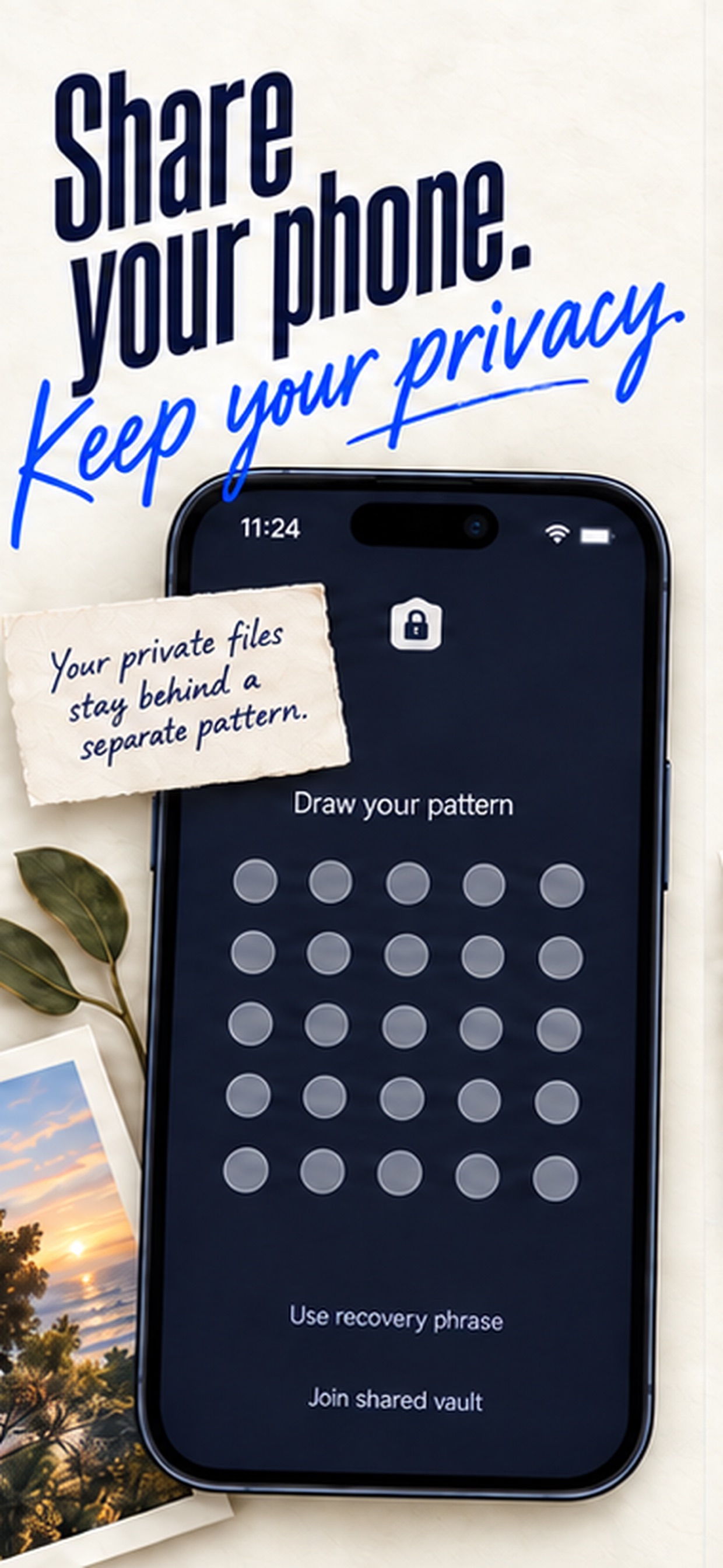
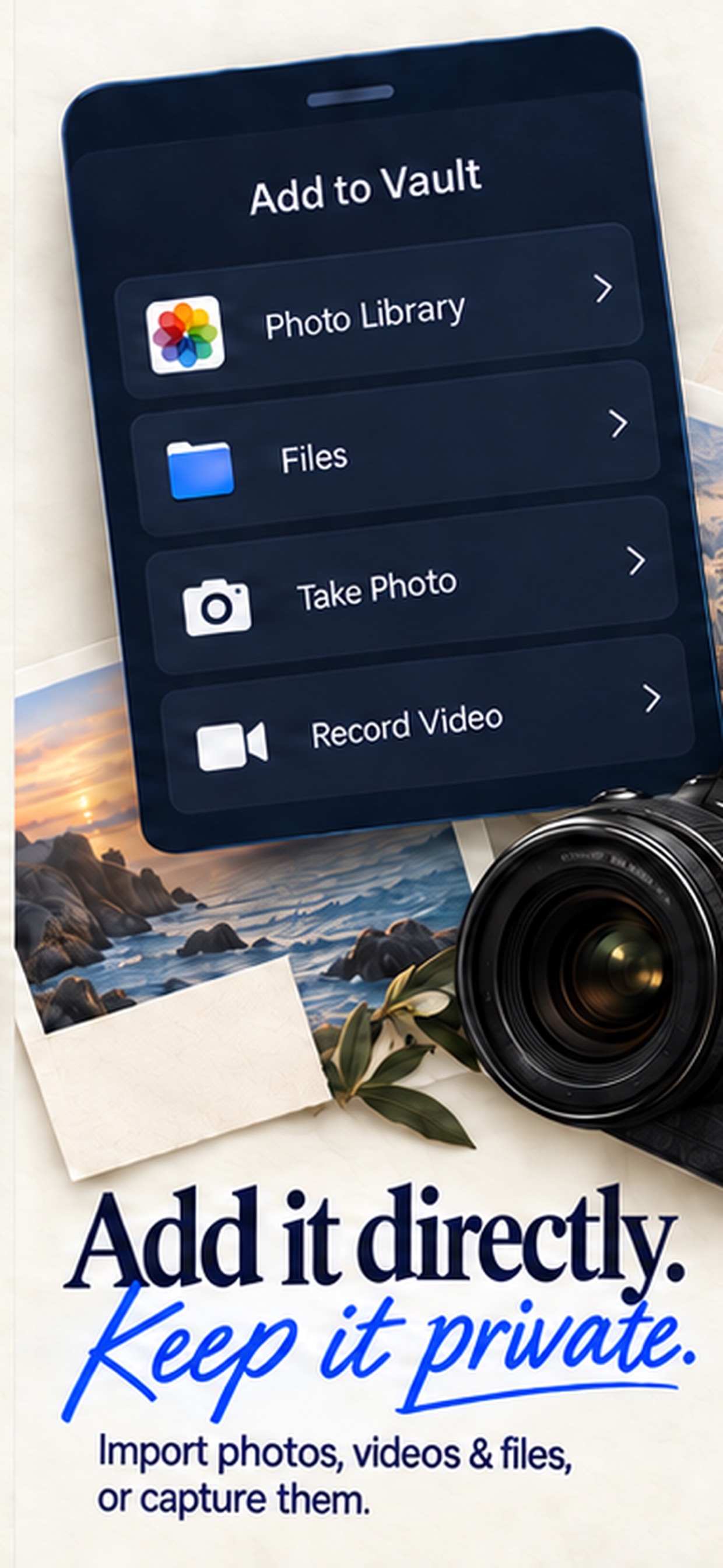
Publisher-supplied screenshots. Source material, not a hands-on test.
The pattern screen makes the separate credential visible. Compare that access method with Vault Max's PIN, password, pattern and optional biometrics.
Open the full-size source imagePhotos, Files and direct capture are all advertised here. Those import routes are shared capabilities, not a Vault Max exclusive.
Open the full-size source imageInner Gallery documents encrypted spaces and exports, no app analytics and optional encrypted CloudKit sync. Its $34.99 one-time Pro Bundle and $99.99 Lifetime package are different offers. A smaller individual Media Pack is not the full bundle. Our Inner Gallery comparison separates item capacity, spaces and the recovery copy so an attractive package name does not do the decision-making for you.
5–7. Familiar names still need an exact plan
Calculator# Hide Photos Videos advertises calculator access, private media and notes. Its named $4.99 Yearly Subscription costs less annually than Vault Max. Another $4.99 entry called Premium Features Pack does not establish a lifetime term. Read the Calculator# comparison for the account, collection and recovery questions around that price.
Keepsafe documents AES-256 encryption at rest, optional Backup & Sync and email-account recovery. Album passwords and fake-PIN decoys are documented features. Its named Yearly Premium is $23.99; Basic is ad-supported. The Keepsafe comparison explains the plan and recovery boundaries without suggesting that cloud availability means local files are unencrypted.
Private Photo Vault - Pic Safe, by Legendary Software Labs, says local use is encrypted, offline by default and requires no account. Decoys, face-down locking and album passwords are shared category features. Its optional Cloud Vault has a separate password and recovery rules. Public Premium price labels do not reliably identify annual or lifetime terms; the full comparison keeps those unknowns visible.
Compare three moments, rather than one lock screen
Start with the locked collection. Choose a vault credential you can remember and keep it distinct from a widely known device passcode. Optional biometrics change the convenience of entry; they do not remove the need to understand the regular credential and recovery path.
Next, consider the open session. A perfectly ordinary photograph can be visible while you are browsing it, regardless of the cipher protecting the stored file. Practice manual locking, check your auto-lock preferences and learn what happens when you leave the app. Vault Max's panic-lock guide explains its quick-lock controls and their setup, without promising that a gesture guarantees an outcome.
Finally, consider a phone you no longer have. Can you name the backup location and the credential needed to open it? An account-reset email, a restored App Store entitlement and a readable recovery archive solve different problems. Try a harmless recovery exercise before making the vault your only copy of an irreplaceable file.
The same questions apply beyond this shortlist. Our named comparisons also cover PV, SPV, Hide it Pro and Vaulty, with their exact iPhone listing identities. Similar names and calculator artwork should not merge different publishers' plans or privacy statements into one imaginary product.
Do you need a separate vault at all?
Apple's Hidden album is included with Photos. It removes chosen media from ordinary library views and uses Apple's device-authentication model. A separate app becomes useful when you want a different vault credential, distinct collections, encrypted writing or calculator entry. Our Hidden album comparison walks through that choice.
Do not assume importing a photo removes every other copy. The source may remain in Photos, a synced library, an earlier backup or a message. Review copies deliberately after verifying the import. Neither an encryption label nor a new app icon changes a file already shared elsewhere.
Try a small collection before paying
- Use a photo, a video and a note. Open each one and check where the original remains.
- Lock and reopen. Learn the ordinary unlock route as well as any calculator or decoy entrance.
- Locate the archive, understand its password and keep a usable copy beyond the phone.
- Confirm capacity, billing term and restore-purchase behavior. Restoring an entitlement does not restore lost files.
Tap a box as you go. Checks reset when you leave this page.
We put Vault Max first because these jobs fit together without an app account or recurring payment requirement. Start with a small free collection; choose paid capacity once the routine works for you.
Common questions
What is your best photo vault app for iPhone?
Vault Max is our first recommendation for someone prioritizing local storage, no app account, a working calculator entrance, separate vaults and a low lifetime price. We publish Vault Max, and the ranking reflects those criteria.
Is this an independent security test?
No. We show real Vault Max workflows and compare official competitor documentation and named plans. We did not audit or penetration-test the other apps.
Do I need a paid app just to hide photos?
No. Apple's Hidden album is a built-in option. A separate vault is useful when you want different credentials, separate encrypted collections or other workflows beyond that built-in feature.
Continue reading
More guides
Practical tips for your private library. Swipe or scroll to choose your next guide.


















































50 guides to explore