
App comparisons
Vault Max vs Obscura Photo Vault: two local vaults, different priorities
Compare Vault Max and Obscura Photo Vault: local encryption, calculator entry, separate vaults, private notes, archive credentials and matched U.S. plans.

We recommend Vault Max for private media and encrypted writing, separate credentials and a $19.99 U.S. one-time capacity price. That is half Obscura Photo Vault's currently stated $39.99 outright price, with different packages. Both describe local authenticated encryption and a working calculator; the useful comparison follows the private collection from entry through recovery.
We publish Vault Max. This comparison identifies Obscura Photo Vault, by Orlio Inc, App Store ID 6759755376. It is not the similarly named camera product. We checked official sources October 23, 2026, without installing Obscura, auditing its code or testing an archive restore.
Read the publisher's gallery as a product introduction
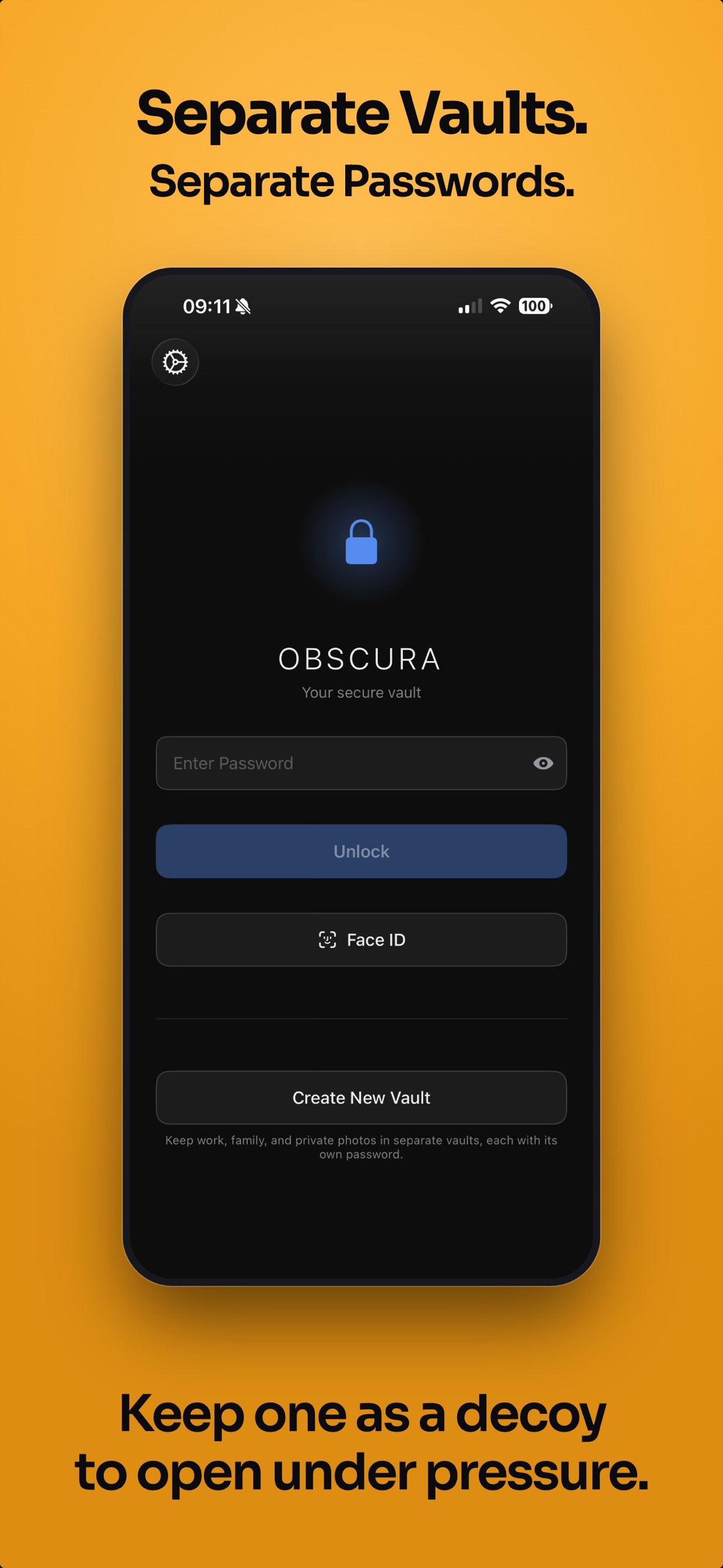
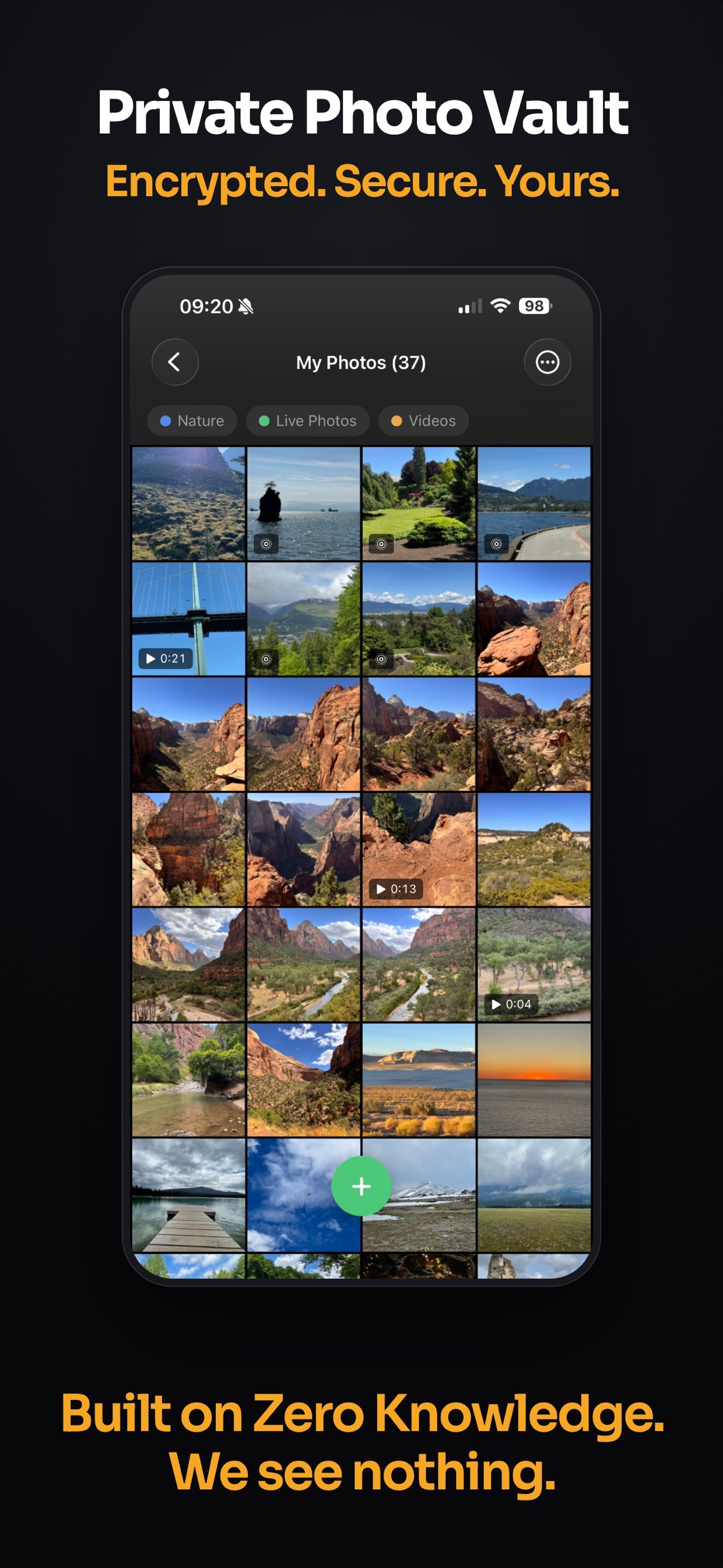
Obscura's official App Store gallery is useful when you want to see how its publisher presents the collection and editing workflow. Match the marketing images to Orlio's app ID, then read the current feature and pricing text; a similar product name can otherwise lead you to a different camera or vault.
The competitor images accompanying this guide are credited publisher screenshots. They are not captures from an installation we tested, and a security statement printed over an image is still a publisher claim. Use the gallery to decide which controls you want to try, while using the linked technical and recovery material for questions a picture cannot answer.
Publisher-supplied screenshots. Source material, not a hands-on test.
Obscura advertises separate vaults and a decoy. Compare their setup and recovery responsibilities rather than counting those as unique features.
Open the full-size source imageThe collection view makes the shared browsing job visible. Its marketing security language is separate from the documented designs and limits discussed in the article.
Open the full-size source imageStart with the shared ground
Obscura's privacy policy describes local encryption without an app account, analytics or advertising SDKs. It separately acknowledges explicit exports and normal device-backup choices. Vault Max has the same broad priorities: no provider-hosted library and no app telemetry, with user-chosen copies handled separately.
Obscura also documents a functioning calculator. An article implying that it merely changes an icon would mislead anyone buying specifically for calculator entry. Vault Max's calculator can be tried in our interactive guide, but that demonstration does not establish how the competing calculator behaves in every circumstance.
Both products therefore deserve questions more precise than “does it hide pictures?” Think about writing, editing, organization, credentials and recovery. Similar headline promises can lead to different choices without either publisher having to invent a security flaw in the other app.
Keep the meaning of a photograph with the collection
Obscura's current product information includes cropping, rotation, collages, duplicate cleanup, tags and password-protected folders. Those extras are part of its package, rather than a reason to describe the products as identical or award every privacy feature exclusively to Vault Max.
Vault Max's encrypted note editor keeps a private journal or explanation with a collection rather than squeezing its meaning into filenames. Media, documents and written notes share the same vault routine. Open the project, review its pictures, update the explanation and close access with the familiar vault controls.
Sample Vault Max library. Select a screen for a closer look.
Make the distinction concrete during a trial. If you regularly need to crop or arrange pictures, try the competing editing controls on disposable images and inspect the saved result. If writing is the missing part of your current routine, compose and reopen a note. The more features an app has in the category you actually use, the more relevant its price becomes.
Consider a collection of personal progress photographs. The useful record may include the date, an explanation of what changed and a related document. Vault Max lets you keep that private context together without changing the photograph. A finished collage or other edited image can also have a place in a collection, but editing tools and encrypted writing answer different jobs.
An edit also creates an outcome worth checking. Does the current app replace the imported copy or preserve the earlier version? What will an ordinary export contain? We have not tested those Obscura operations, so inspect them on sample material before using an editing or cleanup command on the only copy of something important. A feature being available is different from its exact save and undo behavior.
Compare a vault password with a folder password
Obscura's security paper describes its separate vaults and another password layer for selected folders. Its public design paper and published cryptographic material provide information a technical reader can examine. They remain publisher-authored material, not an independent audit performed by us.
Vault Max gives different vaults their own credentials. An ordinary album organizes the currently open collection; a separate vault supplies the independent access boundary. Decide what should be reachable with each credential before arranging the media. That keeps organization and authorization clear instead of assuming a folder's name or icon changes who can open it.
An ordinary Vault Max decoy opens separate content. Destructive local duress behavior is a different optional setting and cannot erase outside copies. Neither product's separate-vault description should be turned into a promise that every forensic trace or every confrontation can be defeated.
For a folder-password trial, decide who should be able to open the main collection and who should also know the extra folder credential. Then check a sample folder while the surrounding vault is already open. That is a different test from switching between separately locked vaults. It helps you choose the appropriate boundary without assuming an ordinary album in Vault Max has its own lock.
The choices that affect everyday use
| Priority | Vault Max | Obscura Photo Vault |
|---|---|---|
| Local encrypted collection | Yes; no app account or telemetry | Publisher describes local AES-GCM, no account or analytics |
| Calculator entrance | Working calculator | Working calculator documented |
| Independent collections | Different vault credentials and ordinary decoy | Separate vaults documented |
| Recovery copy | Separately password-protected .vaultmax archive | Password-protected .obscura archive documented |
| Annual plan | $14.99 | $29.99 |
| One-time purchase | $19.99 Lifetime Unlock | $39.99 outright Pro purchase |
The table answers a shortlist question, not which app will be faster or safer on every device. We have not measured import speed, media memory use, battery consumption or recovery success between them. Try the part that matters with your own unimportant samples before moving a collection you cannot replace.
Recovery uses more than the purchase receipt
Obscura advertises password-protected .obscura export/import. Its technical paper says an imported vault preserves the original vault credential, with an export password protecting the transfer file. Ask exactly which credentials the current restore route needs; do not assume every app lets an archive password replace a forgotten vault password.
Vault Max's separately password-protected .vaultmax archive can restore the saved collection under a new vault credential. Included child vaults need their new credentials assigned too. This is the documented product route, not a claim that we tested an Obscura-to-Vault Max migration.
Sample Vault Max library. Select a screen for a closer look.
Obscura also advertises local snapshot history. A snapshot retained only on the same phone is different from an independent recovery copy. With either product, establish what would remain if the device disappeared, and refresh off-device backups after important additions.
Separate the four questions hidden inside “no recovery”
First, can support reset the working-vault password? Obscura says no, and Vault Max also has no provider reset key for its original vault. Second, can an already-configured biometric route still grant access? If it does, preserve that access and back up before changing anything. It is not permission to erase the typed credential or assume every change-password screen will accept biometrics instead.
Third, is there an independently usable archive? Know where the saved file lives and what password protects it. Fourth, does restoring an Apple purchase restore private data? It does not retrieve a vault library. A purchase receipt, an exported archive and a remembered vault password solve separate problems, even if the app puts their controls near one another.
Those questions are especially useful before selling a phone. Keep the working installation intact while you verify the intended copy and its required credentials. The goal is a recovery plan you can execute, not a destructive experiment with the only surviving pictures.
The matched price advantage is clear
Vault Max's current U.S. plans include $1.49 weekly, $3.99 monthly, $14.99 annually and $19.99 for Lifetime Unlock. Obscura's current pricing states $6.99 monthly, $29.99 annually and $39.99 outright. At those stated prices, Vault Max's one-time option is half the price. The included editing and folder features differ, so lower cost is one factor in the decision.
Check the actual offer and currency before purchasing. Older comparisons quoting a different Obscura price are not our source for today's plans. A lifetime label also does not eliminate the need for working backups or promise an unlimited future operating-system support schedule from Vault Max.
For a one-month task, the monthly prices may be the comparison that matters. For a collection you intend to maintain, compare the one-time package after checking the extras you value. In Vault Max, all paid durations have the same capacity benefit, and existing items stay available to open, export, delete and back up after subscription expiry. Obscura's current listing also says existing content stays accessible after expiry. That is a shared policy direction rather than another exclusive to award to us.
We prefer Vault Max for the complete private workspace: media, encrypted writing, calculator entry, independent vault credentials and a modest one-time capacity upgrade. Try that workflow free, then finish with an inspected export and a recovery plan. A collection you can use and recover is a better basis for the decision than a familiar encryption acronym alone.
Common questions
Is Obscura Photo Vault also encrypted and local?
Yes. Orlio's official documentation describes local AES-256-GCM, no app account or analytics, separate vaults and encrypted archive export. Those are not exclusive Vault Max features.
Does Obscura have a working calculator?
Its official product information describes a working calculator mode. We compare the surrounding collection and recovery workflow rather than treating calculator entry as unique to Vault Max.
What are the matched one-time prices?
On October 23, 2026, Vault Max publishes $19.99 for Lifetime Unlock and Obscura's current official site describes its $39.99 Pro purchase without renewal. Packages and regional offers differ.
Continue reading
More guides
Practical tips for your private library. Swipe or scroll to choose your next guide.


















































50 guides to explore