
App comparisons
Vault Max vs Inner Gallery: your private workspace and its other copies
Compare Vault Max and Inner Gallery: encrypted collections, separate credentials, private notes, archive recovery and one-time payment packages.

Vault Max is our pick for private media and writing, a working calculator, separate credentials and a single $19.99 lifetime capacity choice. It keeps the working collection local and gives you an explicit password-protected recovery archive. Inner Gallery shares the account-free, encrypted-storage approach; comparing the actual collection and recovery jobs explains what each package buys.
We publish Vault Max. Here we compare Inner Gallery - Photo Vault, by Jungle Labs, App Store ID 6759598232. Sources were checked October 23, 2026. We have not installed Inner Gallery, paired its devices or audited its encryption.
Look at the publisher's spaces before installing
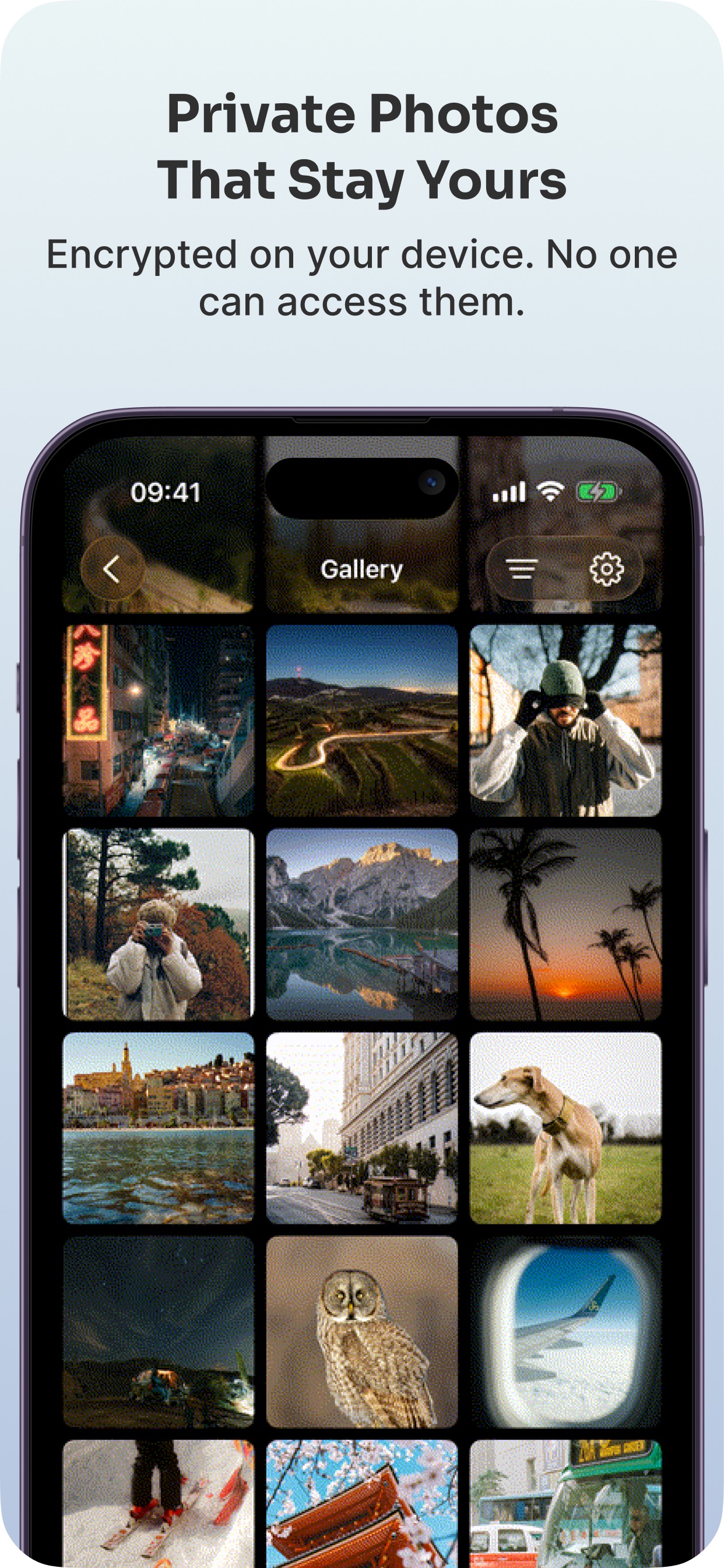
Inner Gallery's official screenshots can help you understand how its spaces are presented and whether that style of organization fits the collection you want to build. Read the gallery alongside its written descriptions of space locks, pairing and optional sync.
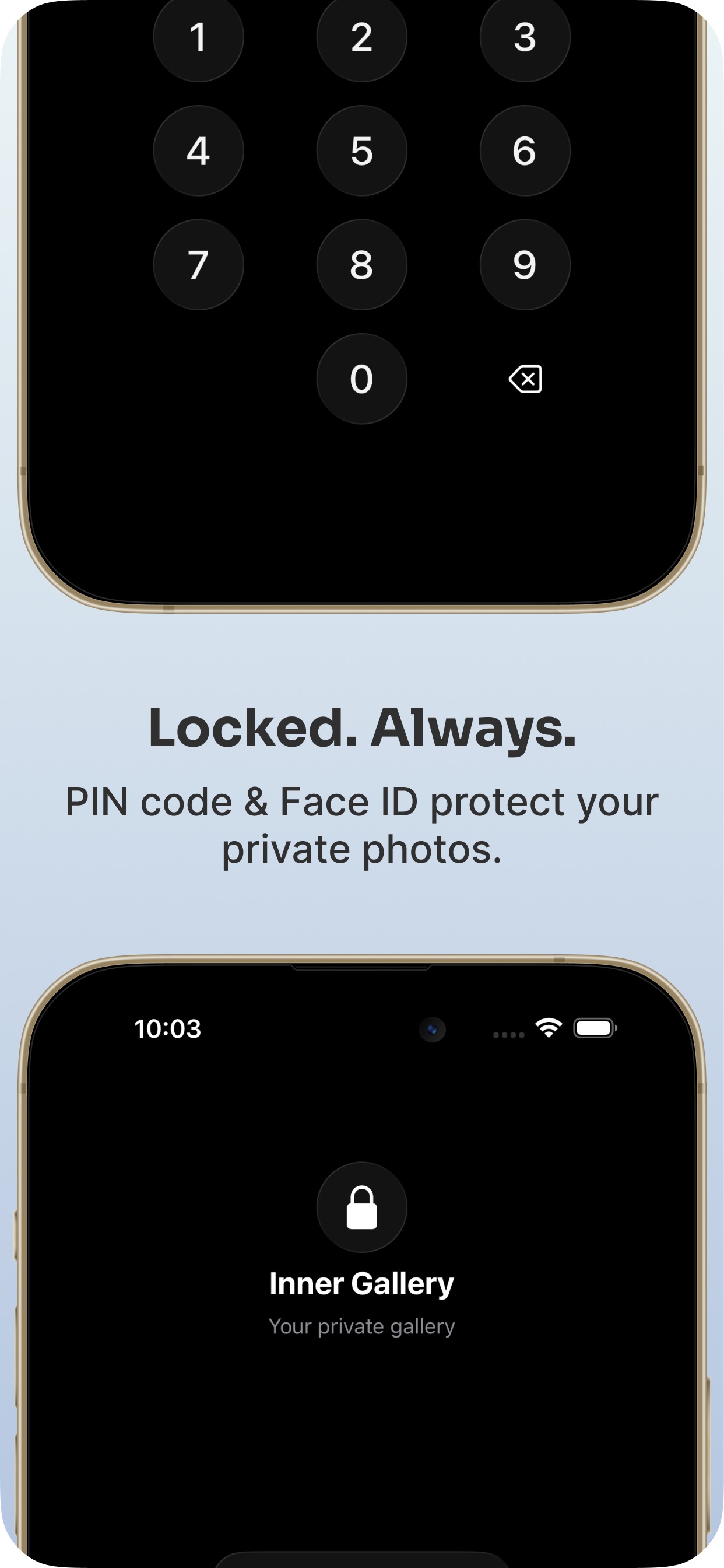
The competitor screenshots accompanying this comparison are publisher-supplied marketing images, not captures of devices we paired. They can make the advertised interface easier to assess. They cannot establish that a current sync finished, that a staged attachment was already encrypted or that a panic space participates in backup. Those questions need the product's specific instructions and a careful trial.
Publisher-supplied screenshots. Source material, not a hands-on test.
Inner Gallery advertises an on-device encrypted gallery. Local storage alone is not an exclusive reason to choose Vault Max.
Open the full-size source imageAuthentication is a shared capability. The comparison examines credential choices, collection boundaries and the recovery plan around that entry step.
Open the full-size source imageKnow which copies you are creating
Inner Gallery advertises encrypted iCloud synchronization between devices. Its privacy policy says the option is disabled by default and encrypts media before upload to the user's CloudKit container. It also says panic spaces are not synced. Those details describe its copy arrangement; they do not make cloud storage compulsory or establish the outcome of a restore.
Vault Max's working library is local. You can export a password-protected archive through Files, but that snapshot does not automatically reflect later additions. A person who expects to switch devices throughout the day needs to understand that difference before choosing our app.
Automatic sync is not the same task as keeping an independent recovery copy. Ask how deletions propagate, what remains after a failed transfer and how the current product handles a replacement device. We have not tested Inner Gallery's answers, so its advertised sync is a product option to evaluate, not a measured reliability result.
Imagine collecting reference photographs on an iPhone and deciding to keep a recovery copy when the project changes. In Vault Max, export a fresh snapshot after the important additions and label the saved file so you can recognize its date. Inner Gallery describes a sync relationship instead. If you enable that feature, check the intended space on each device and understand its completion feedback before relying on it for a real project.
Now imagine that the iPad is shared, while one separate collection should remain only on the phone. Inner Gallery's policy specifically says panic spaces never sync. That distinction is useful to ask about rather than assuming every space follows the same copy arrangement. With Vault Max, a deliberate archive transfer creates another local collection; there is no automatic sync relationship to manage afterwards.
Think about the writing around a photograph
A private collection often includes context: why a photograph matters, a dated journal entry or instructions accompanying a file. Vault Max's encrypted note editor keeps that writing within the vault. You can save, reopen and lock it using the same access routine as the media around it.
Sample Vault Max library. Select a screen for a closer look.
Inner Gallery's checked documentation emphasizes photo/video spaces and their organization. We did not establish an equivalent text-note editor from those sources. That is a documentation limit rather than proof that a future or unlisted feature cannot exist. If private writing is central, inspect the current app before paying.
Separate collections have separate purposes
Inner Gallery describes customizable spaces, individual locks and a Panic PIN leading to a decoy space. Vault Max also supports different vault credentials and ordinary decoy collections. Alternate access is not exclusive to either product.
For a useful trial, decide what belongs in each collection first. Give a sample alternate vault everyday pictures, lock the app and check which collection opens with each credential. The goal is a predictable route, not simply another album icon.
Vault Max's optional destructive duress configuration is separate from an ordinary decoy. It can erase other local vaults when opened and cannot erase copies already exported or held elsewhere. Inner Gallery's “Panic PIN” name should not be assumed to mean that same destructive action. Read the described result rather than treating matching labels as matching behavior.
Look closely at sharing while the vault is locked
Inner Gallery's listing describes sharing from other apps while locked, with media imported and encrypted on the next unlock. Vault Max's share extension encrypts supported incoming attachments when deposited and adopts them into the main collection after unlock. That is how the Vault Max intake path is designed.
We have not examined Inner Gallery's temporary staging format. Its next-unlock wording does not establish that an attacker can read staged files. If locked intake is important to you, ask what protects a waiting attachment, how an interrupted import is reported and what happens at a capacity limit.
Text, a web link and an attached file are also different inputs. Vault Max's share extension accepts supported media/files and skips unsupported text or links with feedback. Do not buy either app on the assumption that every item in every share sheet becomes the same kind of private note.
The buying choices in one place
| Choice | Vault Max | Inner Gallery |
|---|---|---|
| Working collection | Local encrypted media, files and text notes | Encrypted photo/video spaces described |
| Recovery copy | Separately password-protected archive snapshot | Encrypted export/import advertised |
| Separate access | Different vault credentials and ordinary decoy | Individual space locks and Panic PIN decoy |
| App analytics | None | Policy says none |
| Paid capacity | $19.99 Lifetime Unlock | $9.99 Media Pack; other packs have separate roles |
| Broader one-time package | Same capacity benefits on all paid plans | $34.99 Pro Bundle; $99.99 Lifetime package |
Compare capacity and included benefits
Inner Gallery's pricing and its Apple listing show a $9.99 Media Pack, separate Space and Panic packs, Cloud Sync and disguise icons. The $34.99 Pro Bundle combines Space, Media, Panic and Cloud Sync; Lifetime at $99.99 advertises a broader package including icons and future features.
Someone who only needs the Media Pack may spend less than Vault Max's one-time $19.99 upgrade. Someone comparing the broader bundles is comparing different services, including sync that Vault Max does not provide. Neither situation supports claiming Vault Max is cheaper for every buyer.
| Inner Gallery purchase | U.S. price | Advertised purpose |
|---|---|---|
| Media Pack | $9.99 | Lift the media-item limit |
| Space Pack | $9.99 | Lift the space limit |
| Panic PIN | $9.99 | Decoy-space access |
| Cloud Sync | $14.99 | Encrypted iCloud sync |
| App Icons | $4.99 | Camouflage icons |
| Pro Bundle | $34.99 | Space, Media, Panic and Cloud Sync |
| Lifetime | $99.99 | Broader package including icons and future features |
Vault Max's published U.S. plans keep the capacity decision simple: $14.99 annually or $19.99 once, with shorter subscriptions available. Paid plans permit unlimited counted items and eight total vaults per device. The free plan already includes security features. We do not promise an indefinite release schedule or every future feature as part of a comparison slogan.
Vault Max also publishes $1.49 weekly and $3.99 monthly for the same paid-capacity benefit. Those shorter intervals may fit a temporary task, while Lifetime Unlock fits someone choosing to pay upfront. Inner Gallery's individual-pack model may instead suit a buyer who knows exactly one limit needs lifting. Check that limit against your actual collection before buying either package.
Keep optional network choices separate from analytics
Inner Gallery's policy says there is no native analytics, and separately describes optional Apple reverse geocoding for location names as well as encrypted CloudKit sync. A request involved in displaying a location is a different purpose from behavioral analytics. Do not collapse every network operation into a claim that a publisher receives the private library.
Vault Max's app has no provider library or analytics service. Explicit exports, Apple purchases and device-backup settings still need their own review. If a fully local copy arrangement is your requirement, trace the chosen destinations rather than relying only on whether an app asks you to register an account.
Leave yourself a recoverable collection
Inner Gallery advertises encrypted export/import in addition to sync. Its privacy policy says app data is excluded from ordinary device backups by default. Check the specific route you intend to rely on rather than assuming an entire-device backup necessarily includes the collection.
Vault Max's archive uses its own password and a destination you choose. Keep that file accessible without the old phone and its password independently available. A snapshot needs refreshing after additions, and a restored purchase is not a restored library.
Include alternate spaces in that review. If a space intentionally stays off the sync service, the ordinary collection appearing on an iPad does not establish that the alternate collection has a recovery copy. For either app, list which collections are included in each export and where their credentials can be recovered independently.
Our preference is Vault Max for useful writing beside media, calculator entry, separate credentials and a straightforward capacity upgrade. The free security features let you learn that combination before paying for more space. Verify how the ordinary collection and any alternate vault enter the recovery plan before removing originals; an understandable copy arrangement is part of the product's value.
Common questions
Which Inner Gallery app is compared here?
Inner Gallery - Photo Vault by Jungle Labs, App Store ID 6759598232. Its official information describes encrypted spaces, optional iCloud sync and one-time purchase packs.
Does Inner Gallery require cloud storage or app analytics?
Its privacy policy says no app account or analytics, with optional encrypted CloudKit sync disabled by default. Vault Max also has no app account or app analytics; those are shared priorities.
Is the Inner Gallery Media Pack the same as its Pro Bundle?
No. The $9.99 Media Pack lifts the media limit. Its $34.99 Pro Bundle combines several packs, including Cloud Sync, while Lifetime at $99.99 has a broader advertised package. Check the exact benefit before comparing prices.
Continue reading
More guides
Practical tips for your private library. Swipe or scroll to choose your next guide.


















































50 guides to explore