
App comparisons
Vault Max vs Secret Photo Vault: a mixed library needs more than a lock
Compare Vault Max with Secret Photo Vault Lock Photos: mixed files, notes, local collections, computer exports, recovery limits and the $6.99 Pro entry.

We recommend Vault Max for a documented encrypted media-and-notes collection, a working calculator and a clear archive-recovery model. It keeps private pictures, files and written context in one account-free routine. Secret Photo Vault Lock Photos also advertises notes, local storage and decoys, so this comparison looks at the complete collection rather than awarding shared features to only one product.
The exact rival here is Secret Photo Vault Lock Photos, App Store ID 448033053, with the seller listed as 伟林 莫. We publish Vault Max. Sources were checked October 23, 2026 without installing the rival, purchasing Pro or testing a computer export.
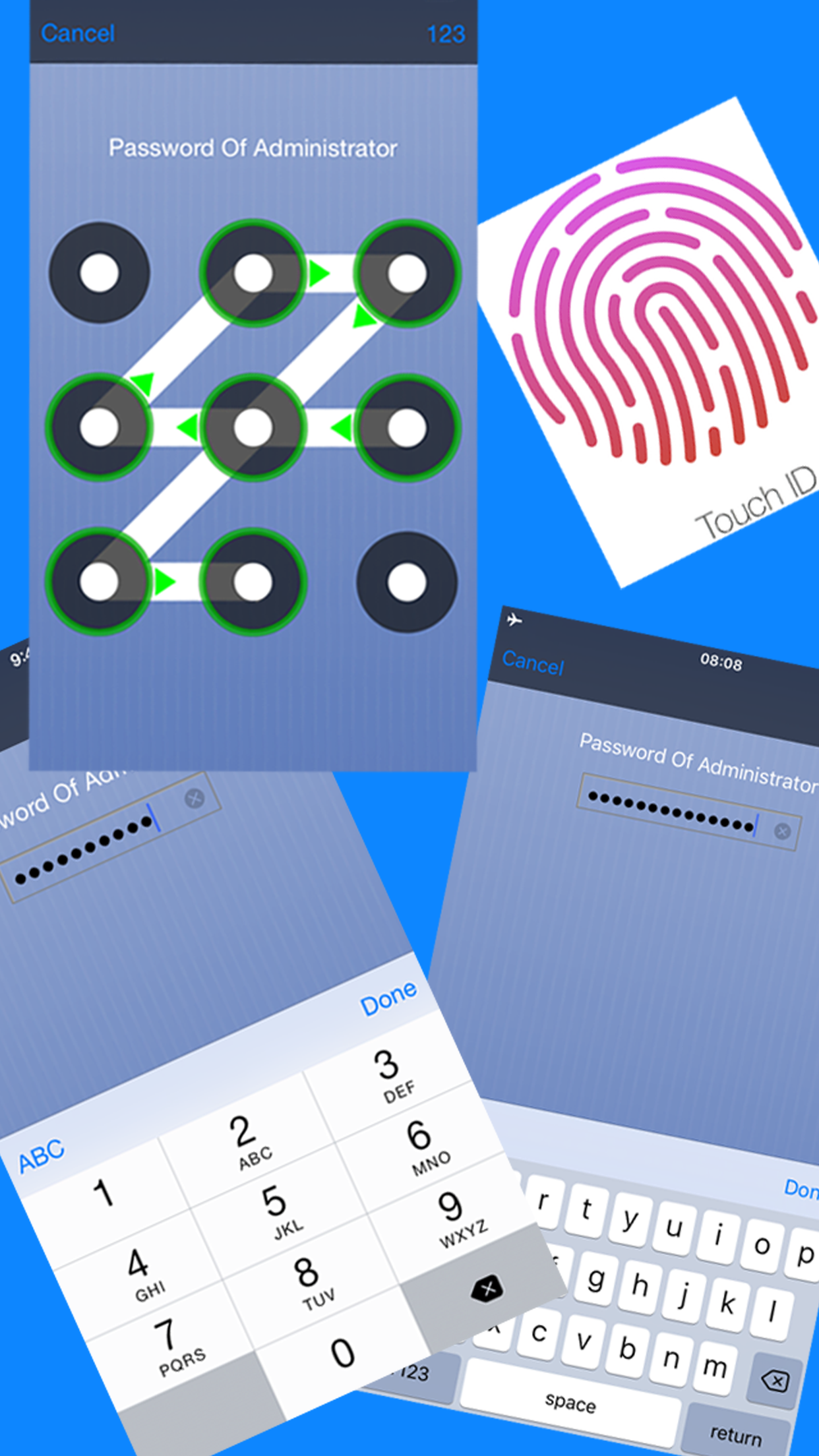
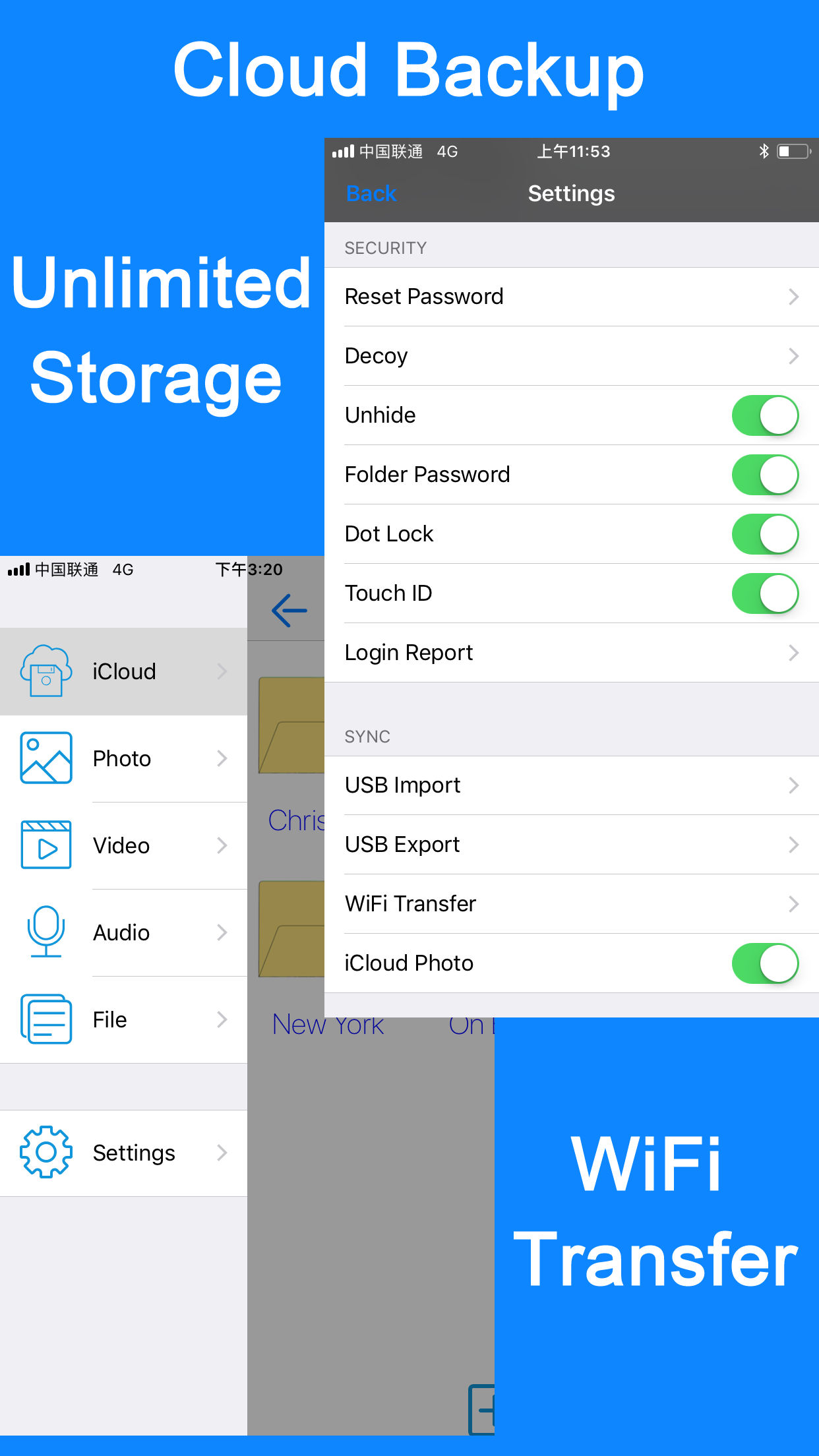
Publisher-supplied screenshots. Source material, not a hands-on test.
Several entry methods are advertised in this exact listing. Check the current supported choices rather than assuming a generic photo-vault name identifies one design.
Open the full-size source imageThe settings artwork shows cloud and Wi-Fi or USB transfer concepts. It does not establish encrypted export format or current desktop compatibility.
Open the full-size source imageChoose around the files, not the generic app name
“Photo vault” sounds like a grid of pictures. Your actual collection may include a personal letter, a short video, a reference document and the note explaining why you kept them. Think about those items before deciding whether a photo-oriented interface or a file-oriented one suits you.
Vault Max supports media and file imports alongside encrypted text notes. You can keep an existing document and the explanation you wrote about it behind the same vault credential, without creating a Vault Max account. That is the mixed collection this article compares.
Secret Photo Vault's listing also describes document viewing and text notes, plus folders and multiple in-app users or categories. Its wider format list includes audio recording. For the shared job here, inspect how an imported file, its written context and the credential protecting them fit together.
Sample Vault Max library. Select a screen for a closer look.
Build one small file cabinet before moving a real one
A useful sample collection might contain a photograph, a short video, an ordinary PDF and a written explanation. Pick material with an obvious expected result: readable small text in the PDF, recognizable detail in the image and a spoken phrase you can hear in the clip. Give the written explanation a specific title, such as the date and subject of the material it describes.
Importing a file and viewing it correctly are different checkpoints. A filename can appear in a list even when the viewing experience does not meet your needs. Try the action that matters for that format, such as inspecting the page text or playing the relevant part of a recording. Do not assume a long published extension list guarantees every document you own will behave identically.
Then arrange the sample as you would the real material. Put two related items together, leave one elsewhere and rename a file so you can find it again. In Vault Max, an album keeps related media recognizable while the note preserves the explanation. Compare that same retrieval task with the rival's current folder or category controls rather than treating the number of filing options as the result.
Come back after locking and retrieve the item you deliberately left outside the group. This is where an organizational preference becomes concrete. You are comparing the route to a file, not how much content an empty library screen promises to hold.
A folder, a local user and a vault are different controls
The rival's listing describes categories, users, folder passwords and decoy accounts. Those are interface concepts inside the product. The word “user” does not itself establish that you need a provider-hosted identity account or that content is sent to a server.
Vault Max uses separate credentials for separate vaults. An album organizes content inside one vault without adding another credential. An ordinary decoy opens its own collection; a separately configured duress role can erase other local vaults. Keep the destructive role out of a normal organizational trial.
Before settling on a structure, put recognizable sample content in two collections and check which credential reaches each. Write a short description of the intended result somewhere private. If you return to a nearly empty decoy next month, you should recognize that outcome rather than assume the main collection was lost.
The rival also describes a public folder shared between its in-app users/categories. If you intend to use that model, check which collection can see the sample file before adding private material. A folder's name or color cannot substitute for understanding its access scope.
For Vault Max, keep an album's organizational role separate from a child vault's credential boundary. If the requirement is simply “these pictures belong together,” start with an album. If it is “this known code should reach only this collection,” investigate an ordinary separate vault and verify that result. That distinction can keep a simple collection from becoming unnecessarily difficult to maintain.
| The job | Vault Max | Secret Photo Vault Lock Photos |
|---|---|---|
| Keep mixed private material | Photos, videos, files and encrypted notes | Documents, notes, audio and media advertised |
| Organize access | Vault credentials separate from albums | Users, categories and folder-password controls described |
| Show alternate content | Ordinary decoy with its own credential | Decoy accounts described |
| Move content to a computer | Supported exports through system destinations | Wi-Fi and iTunes File Sharing advertised |
| Retain a recovery object | Password-protected .vaultmax snapshot | Check the current export and restore instructions |
An export folder is an intentional boundary crossing
Secret Photo Vault describes Wi-Fi access and iTunes File Sharing, including an Export folder for files deliberately made available to a computer. We have not exercised that route. Its existence alone does not prove that every locked file is exposed or that the app lacks encryption.
For a computer-transfer trial, identify the item you selected, the receiving folder and the point at which a readable copy exists outside the app. Check the publisher's current instructions for finishing the export session. An application returning to its lock screen cannot recall a file you already copied onto another machine.
The same rule applies to Vault Max. Sharing a photograph or exporting a document intentionally creates an external copy. The archive route is different: a .vaultmax backup remains password-protected and is meant to be restored through Vault Max. Choose the object that matches your purpose instead of using a loose media export when you intended an encrypted recovery archive.
For that first computer handoff, check four concrete things: the file selected inside the app, the folder receiving it, whether the receiving viewer can open it, and the copies remaining when you finish. If a temporary export directory is involved, follow the current instructions for ending access. Keep the only usable source while checking the destination.
This exercise also clarifies what you mean by backup. A loose exported document can be useful in another program, but it may no longer be behind the app's credential. A recovery archive is designed for restoring a collection, not necessarily for opening each item in an unrelated desktop viewer. Neither format is automatically the right answer for every move.
Read the privacy declaration without inventing a security finding
The rival's App Store privacy declaration says Data Not Collected, and its description says content stays on the device. Apple notes that developer declarations are not independently verified. We could not retrieve the linked hosted privacy document during this source check, so we do not fill that gap with assertions about its network behavior.
The inspected material also does not establish the file cipher and key hierarchy. That is an unanswered implementation question, not proof of readable files. Vault Max's own design documents AES-256-GCM, per-file keys and an encrypted index, without app analytics or a provider-hosted library.
Those implementation details help explain our recommendation, but they do not eliminate ordinary limits. A picture visible in an unlocked viewer is readable. A Photos original and a computer export remain separate copies. A device that holds the only copy can still be lost.
Check recovery before the phone stops working
The rival's listing describes optional questions and answers for password resetting. Read its current setup instructions before relying on that arrangement. A credential-reset option does not by itself establish that a collection exists elsewhere after the phone is lost or the app is removed.
With Vault Max, there is no provider reset email for the original vault. The recovery object is a usable archive with its separate password. Create it while the library opens, save it somewhere independently accessible and confirm what snapshot it contains. An untested plan that depends on the unavailable phone does not solve that scenario.
Keep your recovery records understandable too. The phone code, an in-app collection credential, an archive password and an Apple purchase entitlement have different roles. Label those roles privately so a future move does not begin with entering the wrong secret into the wrong screen.
Compare a defined entitlement with a generic Pro entry
The rival's U.S. purchase list shows Pro Version $6.99. That is a lower displayed price than Vault Max's $19.99 Lifetime Unlock. The generic Pro label does not establish a matched entitlement or purchase type, and we have not opened its purchase sheet.
Vault Max's published terms are explicit: $3.99 monthly, $14.99 annually or $19.99 once for Lifetime Unlock, with a weekly option. All security features are free. Paid plans increase counted capacity and support up to eight total vaults per device. No promise of a future update schedule is bundled into this comparison.
| Published offer | U.S. price | Scope to keep in mind |
|---|---|---|
| Vault Max Free | $0 | 50 counted items per vault, one extra vault and every security feature |
| Vault Max monthly | $3.99 per month | Expanded counted capacity and up to eight total vaults |
| Vault Max annual | $14.99 per year | The same paid capacity benefits with annual billing |
| Vault Max Lifetime Unlock | $19.99 once | One-time capacity entitlement; no hosted storage |
| Secret Photo Vault Pro Version | $6.99 listed | Current benefit and purchase type need confirming in the actual offer |
The $6.99 entry belongs in the comparison. Confirm its current offer before treating it as an identical permanent capacity upgrade. Vault Max's stated price buys a defined entitlement, and its calculator, notes, ordinary decoys and security controls are already available to try before paying.
Check the exit with one representative file
Use an unimportant file that resembles your real material. Open it, find it after locking, export a copy to the intended destination and understand how you would recover it after a phone loss. For Vault Max, also keep the archive password independently reachable and inspect the backup checklist.
Vault Max is our choice for the private writing-and-media routine: a working calculator, separately credentialed collections, documented encryption without app analytics and an understandable recovery object. Its one-time capacity purchase has a clear price and scope. Keep your original collection until that routine is usable, not merely installed.
Common questions
Which Secret Photo Vault app is compared here?
Secret Photo Vault Lock Photos, App Store ID 448033053, whose current seller is listed as 伟林 莫. It is not Keepsafe, SPV or another similarly named vault.
Does Secret Photo Vault support notes and decoy collections?
Its official listing advertises text notes, recordings, documents, folders, multiple users/categories and decoy accounts. These are not exclusive Vault Max features.
Is its $6.99 Pro Version directly comparable to Lifetime Unlock?
The U.S. listing shows a Pro Version entry at $6.99. That label does not independently establish the full benefit, purchase type or future entitlement, so this guide does not call it a matched lifetime plan.
Continue reading
More guides
Practical tips for your private library. Swipe or scroll to choose your next guide.


















































50 guides to explore