
App comparisons
Vault Max vs Private Photo Vault: look past the lock screen
Compare Vault Max with Private Photo Vault by Legendary Software Labs: local encryption, optional cloud, calculator entry, notes, recovery and U.S. plans.

Our pick is Vault Max if you want a working calculator entrance and encrypted notes alongside a local photo and video collection. Vault Max also gives that collection its own credential and a recovery archive whose destination you choose, without another app account. Both products describe local encryption and controls for keeping an everyday library out of casual view. The practical comparison is what you open, keep and restore.
We publish Vault Max. This comparison uses our own implementation and Private Photo Vault's official pages checked October 23, 2026. It is not an independent security audit or a hands-on competitor review.
First, make sure you have the right app
“Private photo vault” is both a category and a crowded app name. Here it means Private Photo Vault - Pic Safe, by Legendary Software Labs LLC, App Store ID 417571834. A different developer, a similar icon or a separate PRO listing can mean a different product.
That distinction matters most when you compare prices or recovery instructions. Advice for one similarly named app may do nothing for another.
What is actually different?
| Choice | Vault Max | Private Photo Vault |
|---|---|---|
| Local encryption | On-device encrypted vault | Vendor states AES local file encryption |
| Account for local collection | No Vault Max account | Vendor says no account needed locally |
| Calculator entrance | Working calculator with PIN-and-equals unlock | No working calculator confirmed in checked sources |
| Private text | Encrypted note editor | Equivalent editor not confirmed in checked sources |
| Decoy access | Different credentials open separate collections | Decoy password advertised |
| Quick locking | Manual lock, auto-lock and configurable panic gesture | Face-down lock advertised |
| Recovery copy | Password-protected archive; user chooses its Files destination | Optional encrypted Premium Cloud Vault |
| Published Vault Max plans | $14.99/year or $19.99 lifetime | Public IAP labels do not establish matched billing terms |
Private Photo Vault also advertises break-in photos with GPS, album passwords and a private browser. Vault Max has break-in capture too, but that does not make the entire list exclusive to us. Look for the particular tools you need instead of counting check marks without context.
Separate the local package from the cloud package
Private Photo Vault’s own security page makes an important distinction: its local encrypted storage works without an account and is offline by default. Cloud Vault is an optional Premium service with its own account, internet and password requirements. An account-based cloud workflow is therefore a choice within that product, not proof that its local collection must upload.
Vault Max has no provider-hosted library option. Its free plan includes the security controls, 50 counted photos, videos and files per vault, one extra vault and unlimited notes within the phone’s available storage. Optional paid capacity supports unlimited counted items and up to eight total vaults per device. The working collection still uses the device’s storage space.
Try the local workflow you actually want before paying for a package. For Vault Max, test the note editor, the import and the credential routine together: these are parts of the free workspace, not a purchase-only preview. Private Photo Vault’s optional account and cloud package has its own requirements. Read those separately from the local app’s access controls so you know exactly what the purchase provides.
Look at the publisher’s access controls
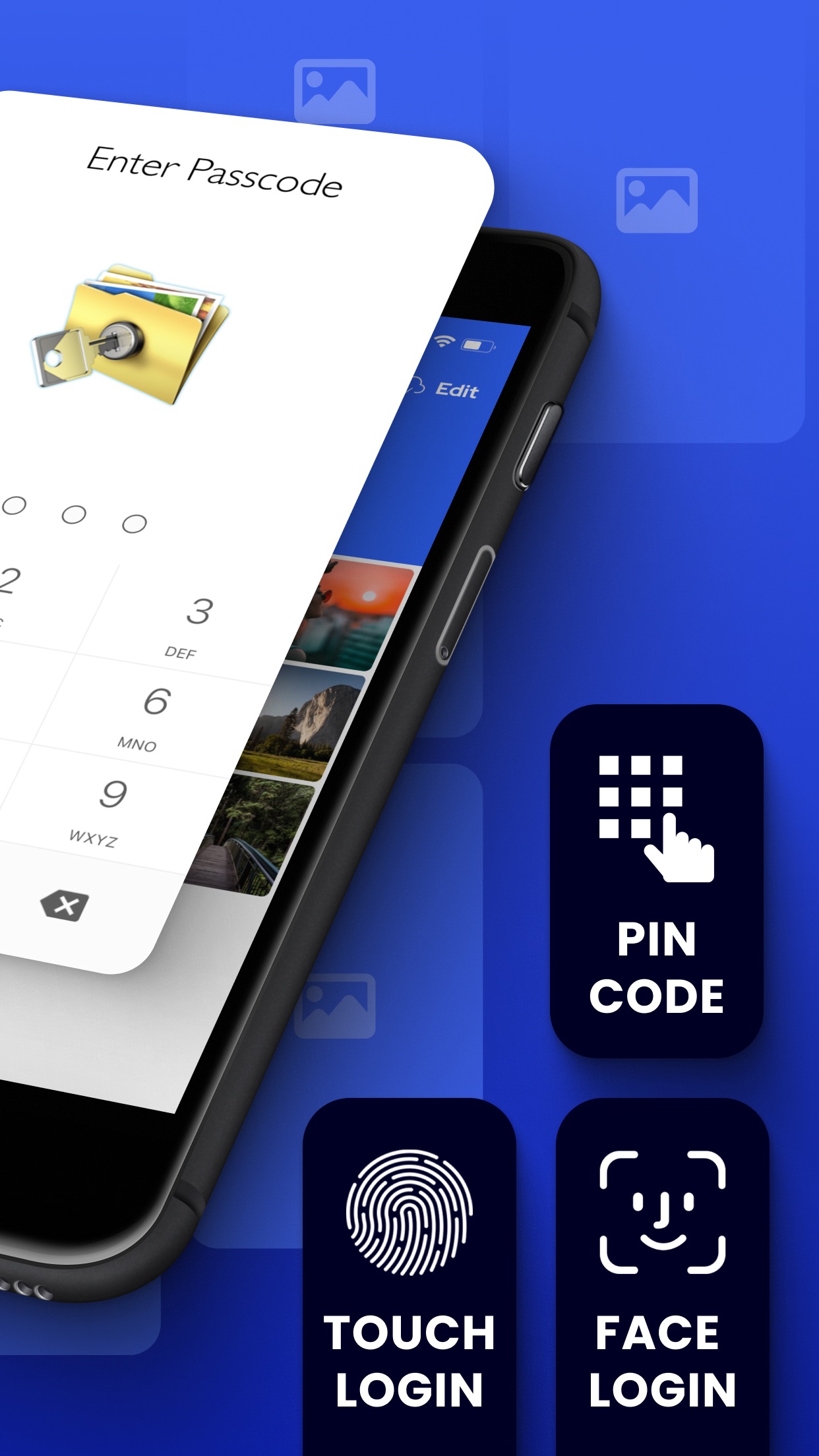
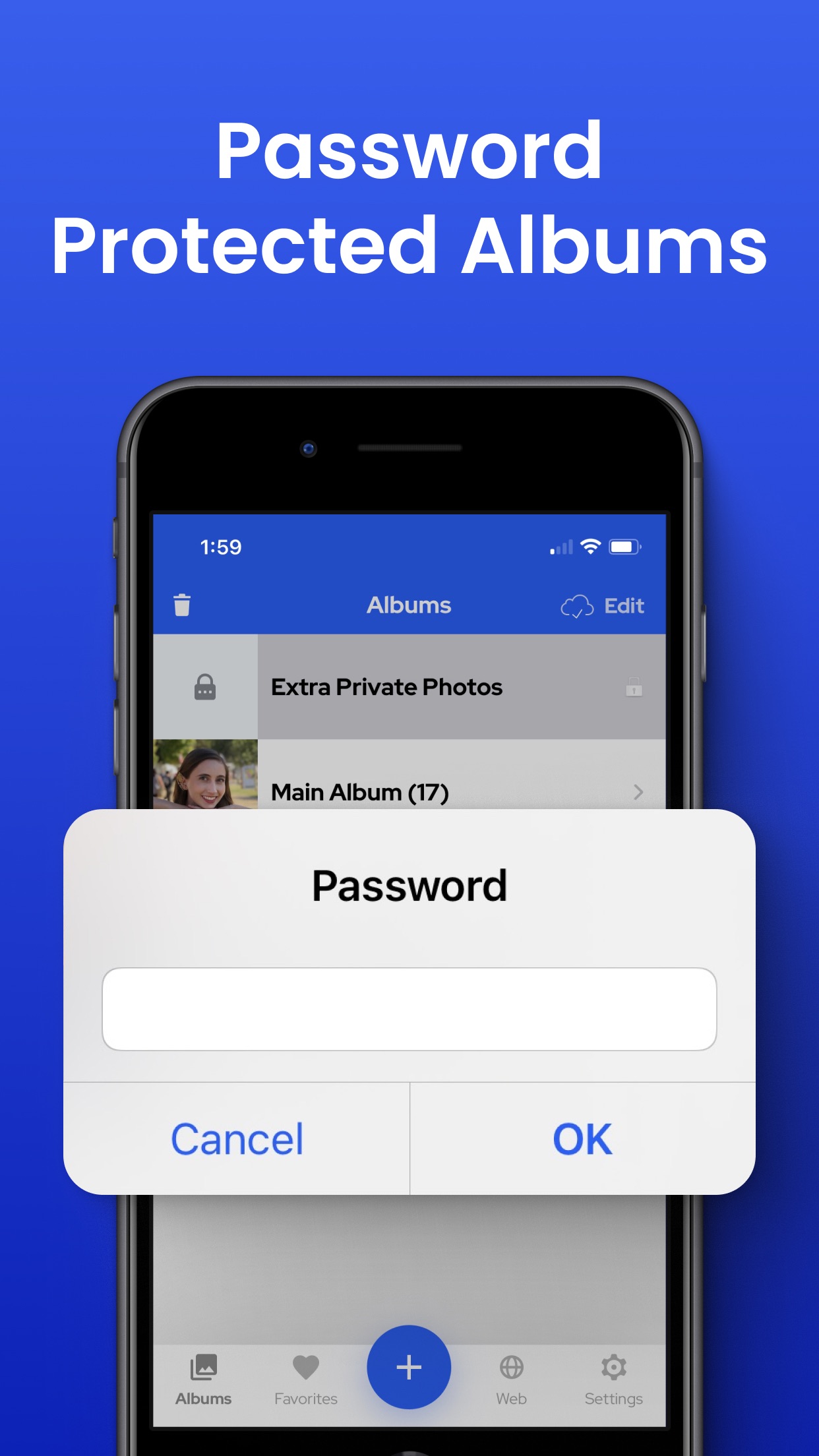
Private Photo Vault’s supplied images below present its PIN/biometric entry and album-password controls. They help frame a practical question: do you want to protect the whole collection, particular albums, or separate collections opened by different credentials?
Vault Max offers separate vault credentials and optional biometric entry. The visible lock interface is one part of that setup. A publisher screenshot does not establish how a forgotten credential is recovered, whether a backup includes an album or what an app would do during a real access attempt. Keep the published workflow and the test evidence distinct when you compare them.
Publisher-supplied screenshots. Source material, not a hands-on test.
The publisher presents several entry options. Compare the supported setup and recovery path, rather than treating biometrics as exclusive.
Open the full-size source imageThe album-password prompt illustrates another access layer. It does not independently establish the file-encryption design.
Open the full-size source imageA calculator you can actually use
Vault Max can open as a calculator. It performs ordinary arithmetic, then accepts your vault PIN followed by equals to enter the collection. You can use the regular unlock route when you need it.
Vault Max with sample content. Use the controls to pause or replay.
That is an advantage if calculator entry is what you came looking for. It does not make the app invisible in iPhone Settings, purchase history or other system surfaces. Read the calculator guide for the setup and the practical limits.
Notes belong in the comparison too
A private collection often includes more than photos. A personal record, recovery instructions or a journal entry may belong with the files it explains. Vault Max's note editor lets you keep that writing in the encrypted vault.
Sample Vault Max library. Select a screen for a closer look.
The Private Photo Vault sources checked do not describe an equivalent encrypted-note editor. If private notes are decisive, check the current app before paying.
The cloud distinction needs care
Private Photo Vault's security page says local files are encrypted and local use is offline by default. Its optional Cloud Vault encrypts on the device before uploading, and the publisher says it cannot decrypt that content. Calling it an unencrypted cloud folder would be inaccurate.
Vault Max leaves out a built-in cloud-library service. Instead, you create a password-protected archive and choose its Files destination. If you choose iCloud Drive or another cloud provider, your exported encrypted archive leaves the phone by your choice. The app's device-backup setting is another boundary to check.
Private Photo Vault also distinguishes a recoverable app PIN from its Cloud Vault password, which support cannot reset to decrypt the cloud collection. With either product, ask which credential protects which copy. A reset email, a restored purchase and a restored photo library are three different outcomes.
A PIN reset and a cloud-password reset are different promises
Private Photo Vault distinguishes the app PIN from the password protecting Cloud Vault. Its security documentation says support cannot recover the cloud password, and an app-passcode reset or recovery email cannot decrypt the cloud collection. Someone who can reset the local app PIN should not assume that the same action restores access to every backed-up file.
Vault Max also separates credentials. Your vault credential opens the local collection. A .vaultmax archive has its own password; a usable archive can be restored under a new vault credential. Restoring an App Store purchase is a third operation: it restores the entitlement to paid capacity, not the photographs, notes or files.
Write down the recovery question in plain language before trusting either app: if this phone disappears, which file or service holds the copy, and which password opens it? Keep that password available independently. Do a restore trial with disposable material rather than experimenting on the only collection you need to keep.
Check the controls you expect to use under pressure
Both products describe decoy access and quick-lock features. Private Photo Vault advertises a decoy password and face-down lock; Vault Max offers separate vault credentials, manual lock, auto-lock and a configurable panic gesture. Choose by how the control fits your routine, rather than assuming a familiar feature name means identical behavior.
Try the chosen lock with a harmless open item on your own device. Check what appears after you return to the app. This article’s screenshots and recordings do not establish motion-sensor reliability, a real break-in capture or protection from someone who can already see the unlocked display. An ordinary decoy collection also does not revoke copies previously shared with someone else.
Price: compare a plan, not an unlabeled number
Vault Max’s current U.S. plans include $14.99 annually and $19.99 for Lifetime Unlock. Its security features are available free; paid plans increase capacity. The free collection has limits, so try it with ordinary sample files before importing everything.
Private Photo Vault's public U.S. listing has an “Upgrade” price and several “Premium” entries, but the checked labels do not establish a reliable annual-versus-lifetime comparison. Read its current purchase sheet for the term, included services and renewal conditions.
For someone who wants a local vault, useful writing tools and a working calculator at a clear one-time price, Vault Max is our recommendation. Start with one ordinary photo and a sample note, then use the backup and recovery checklist and verify a recovery copy you control.
Common questions
Which Private Photo Vault app is compared here?
Private Photo Vault - Pic Safe by Legendary Software Labs LLC, App Store ID 417571834. Other apps with similar names are different products.
Does Private Photo Vault encrypt local files?
Its official security page says local files use AES encryption and local use needs no account. Its optional Cloud Vault separately encrypts content on the device before upload.
Is Private Photo Vault's public Upgrade price definitely a lifetime plan?
The public IAP name does not establish the billing term. We do not label it annual or lifetime without a clearly identified current offer. Check the in-app purchase sheet.
Continue reading
More guides
Practical tips for your private library. Swipe or scroll to choose your next guide.


















































50 guides to explore